

In today’s digital world, businesses are constantly searching for simple and effective ways to reach more customers and increase sales. In Nigeria and across the globe, one platform stands out as a powerful tool for communication and marketing, WhatsApp Business.
With millions of active users, WhatsApp Business provides a direct and personal way to connect with customers, build trust, and close sales faster than traditional methods. Whether you run a small online shop, a service based business, or a growing brand, learning how to use this platform properly can transform your income.
In this comprehensive guide, you will learn exactly how to use WhatsApp Business to scale your sales step by step, even if you are just starting.
What Is WhatsApp Business And Why It Matters
Understanding The Platform
WhatsApp Business is a free application designed specifically for small and medium sized businesses. It allows you to communicate professionally with customers while offering tools that help you organize conversations and automate responses.
Get TikTok SEO Cheat here
Unlike the regular WhatsApp app, this version includes features such as business profiles, automated messages, product catalogs, and customer labels.
Why It Is Powerful For Sales
The biggest advantage of WhatsApp Business is its direct communication style. Messages are delivered instantly, and customers are more likely to respond compared to emails or traditional ads.
It also builds trust because customers feel they are speaking directly with a real person rather than a brand.
Step 1: Set Up Your WhatsApp Business Account Properly
Why Proper Setup Is Important
Your business profile is the first impression customers will have of your brand. A poorly set up profile can make your business look unprofessional and reduce trust.
A well optimized profile, on the other hand, increases credibility and encourages customers to engage with you.
How To Set It Up
- Download WhatsApp Business from your app store
- Register with your business phone number
- Add your business name clearly
- Upload a professional logo or image
- Write a clear business description explaining what you offer
- Include your location, email, and website if available
Step 2: Create A High Converting Product Catalog
Why The Catalog Feature Is Important
The catalog feature acts like your online store inside WhatsApp. Instead of sending multiple pictures and explanations repeatedly, customers can browse your products in one place.
This saves time and makes your business look organized and professional.
How To Use It Effectively
- Add clear product images
- Write detailed descriptions for each product
- Include accurate prices
- Organize products into categories if possible
- Update your catalog regularly

Step 3: Use Automated Messages To Save Time
Why Automation Matters
As your business grows, responding to every message manually becomes stressful and time consuming. Automation helps you respond instantly even when you are not online.
This ensures that no customer feels ignored.
Types Of Automated Messages
- Greeting messages for new customers
- Away messages when you are unavailable
- Quick replies for frequently asked questions
How To Set Them Up
- Go to business settings inside WhatsApp Business
- Create a welcoming greeting message
- Set up an away message for off hours
- Save common replies for quick responses
Read More On:
Step 4: Use Broadcast Lists To Promote Your Products
Why Broadcast Is Powerful
Broadcast lists allow you to send messages to multiple customers at once without creating a group. Each recipient receives the message privately, which feels more personal.
This is perfect for promotions, new arrivals, and special offers.
Best Practices
- Only send messages to customers who saved your number
- Avoid spamming too frequently
- Keep messages short and engaging
- Include clear call to action
Step 5: Build Trust Through Consistent Communication
Why Trust Is Everything In Sales
People buy from businesses they trust. On WhatsApp, trust is built through consistent and honest communication.
Delayed replies, unclear information, or rude responses can push customers away.
How To Build Trust
- Respond quickly to messages
- Use polite and friendly language
- Be honest about product details and pricing
- Follow up with customers after purchase
- Handle complaints professionally
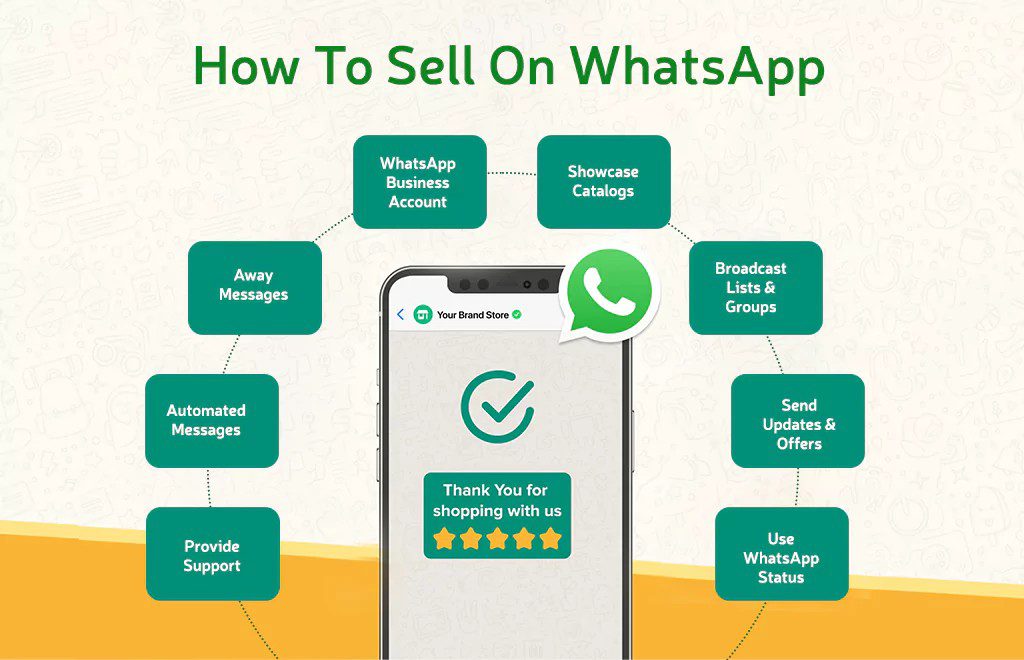
Step 6: Use Status Updates To Showcase Your Products
Why Status Is Underrated
WhatsApp status works like social media stories. It allows you to post images, videos, and updates that your contacts can view.
This is a powerful way to promote your products without directly messaging customers.
How To Use It For Sales
- Post high quality product images
- Share customer testimonials
- Show behind the scenes content
- Announce discounts and promotions
- Post consistently to stay visible
Step 7: Organize Customers Using Labels
Why Organization Matters
As your customer base grows, managing conversations can become confusing. Labels help you categorize customers and keep track of their status.
How To Use Labels Effectively
- Create labels for new customers
- Label customers who have placed orders
- Separate pending payments from completed orders
- Identify loyal customers for special offers
Read More On:
Step 8: Use WhatsApp Business With Other Marketing Channels
Why Integration Is Important
To truly scale your sales, you should not rely only on WhatsApp. Instead, combine it with other platforms to attract more customers.
Ways To Integrate
- Share your WhatsApp link on Instagram and Facebook
- Add your WhatsApp number to your website
- Use ads that direct customers to WhatsApp
- Promote your WhatsApp contact in offline marketing
Step 9: Learn How To Close Sales Effectively
Why Closing Skills Matter
Getting inquiries is good, but turning them into actual sales is what grows your business.
How To Close More Sales
- Respond quickly to inquiries
- Ask questions to understand customer needs
- Highlight benefits of your product
- Create urgency with limited offers
- Make payment process simple and clear
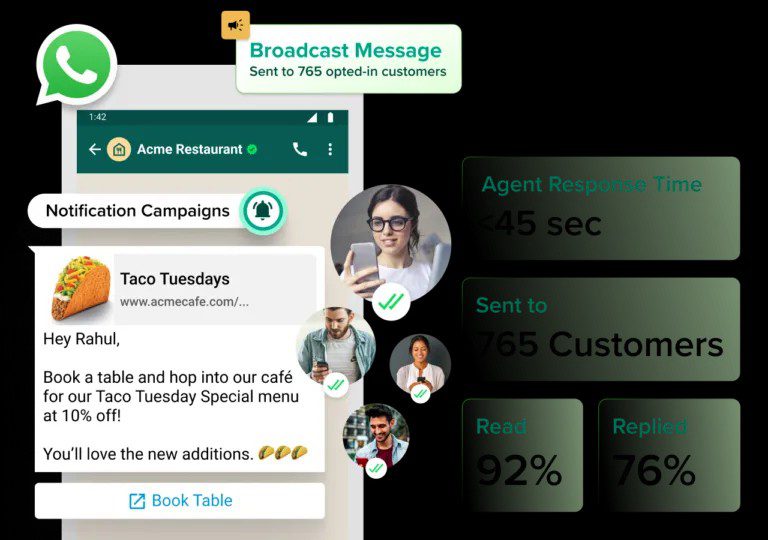
Step 10: Track Your Performance And Improve
Why Tracking Is Important
You need to understand what is working and what is not in your business. This helps you improve your strategy over time.
What To Track
- Number of daily inquiries
- Conversion rate from chat to sales
- Customer feedback
- Most popular products
Common Mistakes To Avoid When Using WhatsApp Business
- Ignoring customer messages
- Spamming customers with too many promotions
- Using unprofessional language
- Providing incomplete product information
- Failing to follow up with customers
Conclusion
WhatsApp Business is more than just a messaging app. It is a powerful sales tool that can help you grow your business if used correctly.
By setting up your account properly, using automation, engaging customers consistently, and applying the right sales strategies, you can turn simple conversations into steady income.
The key is consistency, professionalism, and understanding your customers’ needs
Read More On: