


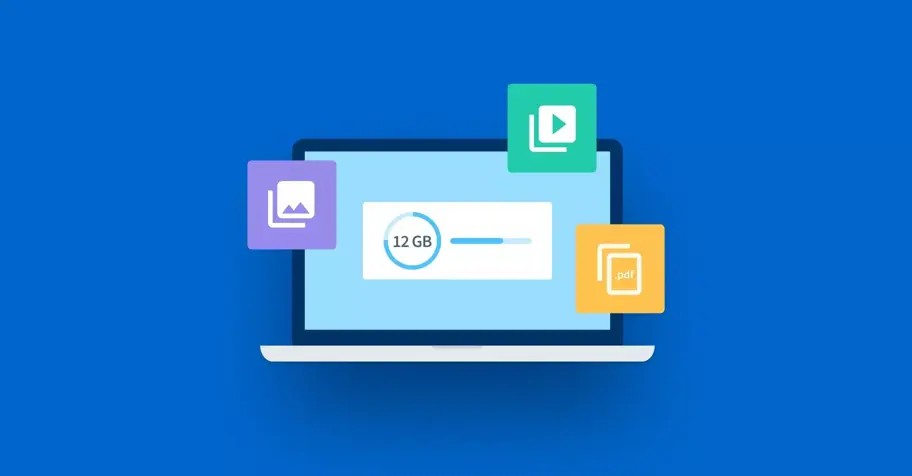
We have all been there. You have just finished a high definition video project, a massive folder of professional wedding photos, or a complex architectural design file, only to realize it is 2.5GB or larger. You try to attach it to an email, but Gmail or Outlook stops you with that frustrating 25MB limit. You turn to WhatsApp, but even with its recent improvements, the platform struggles with massive data transfers, often compressing your files or failing entirely due to network instability.
This is a common “pain point” for digital creators, educators, and office professionals in Nigeria. In an era where 4K video is the standard and software projects are ballooning in size, the old ways of sharing data are simply broken. You need a reliable, fast, and secure way to move big data without the headache of email attachments or the limitations of instant messaging apps. This guide provides a standard technology solution to bypass these digital roadblocks. We will explore the best tools to send large files over 2GB, focusing on speed, security, and ease of use.
Why Traditional Platforms Fail For Large Transfers
Before we dive into the solutions, it is important to understand why your usual tools are letting you down. Email was never designed for data storage; it was designed for text communication. When you “attach” a file to an email, the system has to encode that file into a text format, which actually increases the file size by about 30 percent. This is why a 20MB file often triggers a 25MB limit warning.
WhatsApp and Telegram, while better, still rely on your phone’s active memory and stable upload speeds. If your connection flickers during a 3GB transfer on WhatsApp, the whole process usually restarts from zero. The tools discussed below solve this by using dedicated cloud servers that handle the “heavy lifting” for you.
Get TikTok SEO Cheat here
Comparison Of Top Large File Transfer Tools
1. WeTransfer: The King Of Simplicity
WeTransfer remains the most popular tool for a reason. It does not require you to create an account or verify your identity. You simply upload and send.
Detailed Step by Step Solution:
First, visit the official website. You will see a box on the left asking you to “Upload files.” Click the plus icon and select your file from your computer or mobile device. Next, you have two options: you can either enter the recipient’s email address to send them a direct link, or you can click the three dots icon to select “Get transfer link.”
Choosing the link option is often better for Nigerians because you can copy that link and paste it into a WhatsApp chat or a Slack channel once the upload is finished. The file stays on their server for seven days before it is automatically deleted. This ensures your data does not sit on the internet forever, providing a layer of “expiry security.”
2. Google Drive: The Reliable Workhorse
Almost everyone has a Google account, which means you already have a powerful file transfer tool at your fingertips. Google Drive gives you 15GB of free space, which is shared across your Gmail and Photos.
Detailed Step by Step Solution:
Open Google Drive and click “New,” then “File Upload.” Once the large file is uploaded, right click on it and select “Share.” In the box that appears, look for “General Access” and change it from “Restricted” to “Anyone with the link.” This is the most crucial step. If you do not change this, your recipient will have to “request access,” which creates an annoying back and forth.
Once set to “Anyone with the link,” copy the URL and send it to your recipient. The benefit here is that the file does not expire. It stays there until you decide to delete it. This is the best method for collaborative projects where the team might need to download the file multiple times over a month.
3. SendAnywhere: Real Time Transfers Without Cloud Delays
SendAnywhere takes a different approach. Instead of uploading a file to a permanent cloud folder, it uses a 6 digit key for real time transfers.

Detailed Step by Step Solution:
On the SendAnywhere site or app, upload your 2GB+ file. The system will immediately generate a 6 digit code. You must give this code to your recipient immediately. They enter that code on their end, and the transfer begins. The code is only valid for 10 minutes.
This is incredibly secure because the file is not “sitting” on a server waiting for someone to find it. It is a direct “handshake” between your device and theirs. If you need to send a file that is sensitive, such as a company payroll sheet or a private legal document, this is the most secure free method available.
4. Dropbox Transfer: The Professional Choice
Dropbox Transfer is different from standard Dropbox storage. It is designed specifically for sending finished files to clients.

Detailed Step by Step Solution:
Log into your Dropbox account and navigate to the “Transfer” section. Upload your files (up to 2GB on the free plan). Dropbox will create a beautiful, professional download page for your recipient. You can even see “view statistics” to know exactly when your client has opened and downloaded the file. This is a massive advantage for freelancers who need to confirm that a client has received their work before a deadline expires.
5. ToffeeShare: Peer To Peer For Unlimited Sizes
If you are trying to send a 50GB file and do not want to pay for a premium subscription, ToffeeShare is your best friend. It uses Peer to Peer (P2P) technology.
Detailed Step by Step Solution:
Open the ToffeeShare website and drop your file. It will give you a link immediately. The catch here is that you must keep your browser tab open until the recipient finishes their download. The file is never stored in the cloud; it moves directly from your hard drive to theirs. This means there is technically no file size limit. As long as you have the data and they have the storage space, the transfer will work. This is the “secret weapon” for high end videographers and software developers.
| Service | Free Limit | Registration Required? | Key Benefit |
|---|---|---|---|
| WeTransfer | 2GB per transfer | No | Simplest user interface |
| Google Drive | 15GB (Total storage) | Yes (Google Account) | Best for long term access |
| SendAnywhere | 10GB | No | Real time 6 digit code transfer |
| Dropbox Transfer | 100MB (Basic) to 2GB | Yes | Professional presentation |
| ToffeeShare | Unlimited | No | Peer to peer (No cloud storage) |
| Terabox | 1TB (With ads) | Yes | Largest free storage capacity |
Essential Security Tips For Big Data Transfers
When sending large files, you are often moving significant amounts of personal or professional data. You must follow these security protocols:
- Use Password Protection: Many services allow you to “lock” the download link. Always use this for sensitive documents.
- Verify the Recipient: Before sending a link via WhatsApp, double check that you are in the right chat. Once a link is “out there,” anyone who finds it can download your data if it is not password protected.
- Check Expiry Dates: If you are sending a one time file, set it to expire after one download or 24 hours. This reduces your “digital footprint” and keeps your data off stagnant servers.
- Avoid Public Wi Fi: When uploading a 3GB file, your connection is vulnerable. Always use a secure home or office network, or a trusted mobile data provider to prevent data “sniffing” during the upload phase.
Frequently Asked Questions
Does sending large files consume more data?
Yes. If you upload a 2.5GB file, you will use exactly 2.5GB of your data plan for the upload. The recipient will also use 2.5GB to download it.
Why is my upload so much slower than my download?
Most Nigerian internet service providers offer “asymmetric” speeds. This means your download speed might be 20Mbps, but your upload speed is only 2Mbps. Be patient during the upload phase as it is always the slowest part of the process.
Can I send large files from my phone?
Absolutely. All the tools mentioned above, especially WeTransfer and SendAnywhere, have mobile friendly websites or apps that work perfectly on Android and iOS.
Can I send large files from my phone?
Conclusion
Moving past the limitations of email and WhatsApp is a vital step for any modern professional. By using dedicated transfer tools like WeTransfer for quick links or Google Drive for long term storage, you ensure your work is delivered in full quality and on time. These technology solutions are designed to make your digital life easier, allowing you to focus on creating content rather than worrying about how to move it.
Does this new utility focused approach work for your upcoming editorial calendar? I can help you draft similar “problem solver” guides for mobile banking security or data plan optimization.
Read More On: