


In today’s digital world, verifying your bank details online has become an essential part of managing your finances safely and efficiently. Whether you are confirming your Bank Verification Number, checking your account information, or ensuring your records are accurate, knowing how to access and verify your banking details online can save you time, prevent fraud, and give you peace of mind.
This comprehensive guide will walk you through everything you need to know about checking your bank verification details online, including step by step methods, platforms to use, common issues, and expert tips to keep your financial information secure.
What Are Bank Verification Details
Bank verification details refer to the personal and financial information that confirms your identity with your bank. These details are used to ensure that you are the rightful owner of your account and to prevent unauthorized access or fraudulent transactions.
Some of the most important bank verification details include:
Get TikTok SEO Cheat here
- Bank Verification Number also known as BVN
- Account number
- Full name linked to the account
- Phone number associated with the account
- Email address
- Date of birth
- Linked identification such as National ID or passport
These details are often required when opening accounts, performing transactions, applying for loans, or linking financial services.
Why It Is Important to Check Your Bank Verification Details
Regularly checking your bank verification details is not just a good habit, it is a necessary step to protect your finances.
Here are key reasons why this is important:
- Accuracy of Information: Errors in your bank details can lead to failed transactions or issues when receiving payments. Checking ensures everything is correct.
- Fraud Prevention: Monitoring your details helps you quickly detect any unauthorized changes or suspicious activity.
- Ease of Transactions: Verified and updated details ensure smooth transactions both locally and internationally.
- Compliance with Financial Regulations: Banks often require customers to maintain updated information to comply with regulatory standards.
Different Ways to Check Your Bank Verification Details Online
There are several reliable methods you can use to check your bank verification details online. Each method depends on your bank and personal preference.
1. Using Your Bank Mobile App
Most banks now provide mobile apps that allow customers to access and manage their accounts easily.
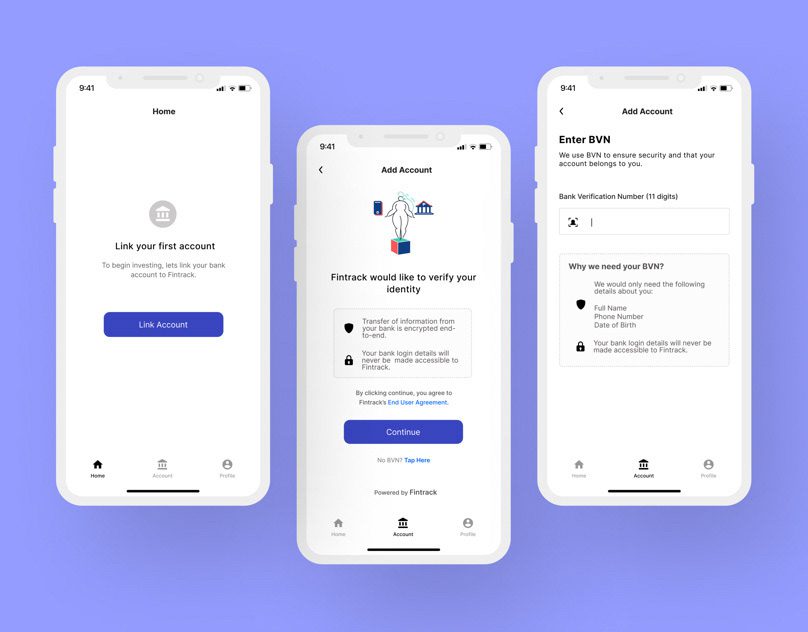
Steps to Check Your Details via Mobile App
- Download your bank’s official mobile app from your app store
- Log in using your username and password or biometric authentication
- Navigate to your profile or account settings section
- Locate personal information or account details
- Review your verification details carefully
Why This Method Is Effective
- Mobile apps are secure and convenient
- They provide real time access to your information
- They often include additional security features like fingerprint or face recognition
2. Using Internet Banking Platform
Internet banking platforms are another reliable way to check your bank verification details.
Steps to Use Internet Banking
- Visit your bank’s official website
- Log in to your internet banking account
- Go to the profile or account information section
- View your personal and account details
Advantages of Internet Banking
- Accessible from any device with internet
- Offers detailed account information
- Suitable for users who prefer larger screens
3. Checking Your BVN Online
Your Bank Verification Number is one of the most critical banking details in Nigeria.
How to Check Your BVN Online
- Dial the USSD code provided by your bank usually 5650#
- Follow the prompts to display your BVN
- Alternatively log in to your bank app or internet banking to view your BVN
Important Note
Ensure you use the phone number linked to your bank account when checking your BVN.
Read More On:
4. Using USSD Codes
USSD banking is very popular because it works without internet access.

Steps to Use USSD Codes
- Dial your bank’s USSD code on your registered phone number
- Select the option for account information or BVN
- Follow the instructions displayed on your screen
Benefits of USSD Banking
- Works on all types of phones
- No internet connection required
- Fast and convenient
5. Through Email or SMS Notifications
Banks often send account details and verification updates through email or SMS.
How to Use This Method
- Check your registered email inbox for messages from your bank
- Review SMS notifications sent to your phone
- Look for account updates or verification confirmations
Why This Is Useful
- Provides quick access to updates
- Acts as a record of your banking activities
6. Contacting Customer Support Online
If you are unable to access your details through other methods, customer support can help.
Steps to Contact Support
- Visit your bank’s official website
- Use live chat or support email
- Provide necessary identification information
- Request your verification details
When to Use This Option
- When you forget login details
- When your account is locked
- When you notice suspicious activity
Read More On:
Common Issues When Checking Bank Verification Details Online
While the process is usually smooth, some challenges may arise.
- Login Problems: Forgetting your password or username can prevent access. Use the password recovery option to regain access.
- Network Issues: Poor internet connectivity can disrupt access to online banking platforms.
- Outdated Information: If your details are outdated, you may need to visit your bank to update them.
- Security Restrictions: Banks may temporarily block access if suspicious activity is detected.
Tips to Keep Your Bank Verification Details Safe
Protecting your banking information is extremely important.
- Use Strong Passwords: Create passwords that are difficult to guess and avoid using personal information.
- Enable Two Factor Authentication: This adds an extra layer of security to your account.
- Avoid Public WiFi for Banking: Public networks can expose your data to hackers.
- Keep Your Phone Number Updated: Your phone number is often linked to your bank account for verification.
- Do Not Share Sensitive Information: Never share your BVN, password, or OTP with anyone.
How to Update Incorrect Bank Verification Details
If you notice any incorrect information, it is important to update it immediately.
Steps to Update Your Details
- Log in to your mobile app or internet banking
- Check if editing options are available
- Update the necessary fields
- Submit and confirm changes
If updates cannot be done online, visit your bank branch with valid identification.
Frequently Asked Questions
- Can I Check My Bank Verification Details Without Internet? Yes, you can use USSD codes on your phone without internet access.
- Is It Safe to Check My Details Online? Yes, as long as you use official banking platforms and secure networks.
- How Often Should I Check My Details? It is advisable to check your details regularly, especially after major transactions.
Conclusion
Checking your bank verification details online is a simple yet powerful way to stay in control of your finances. With multiple options available such as mobile apps, internet banking, USSD codes, and customer support, you can easily access and verify your information anytime.
By staying proactive and ensuring your details are accurate and secure, you reduce the risk of fraud, improve transaction efficiency, and maintain a smooth banking experience.
Read More On:

