


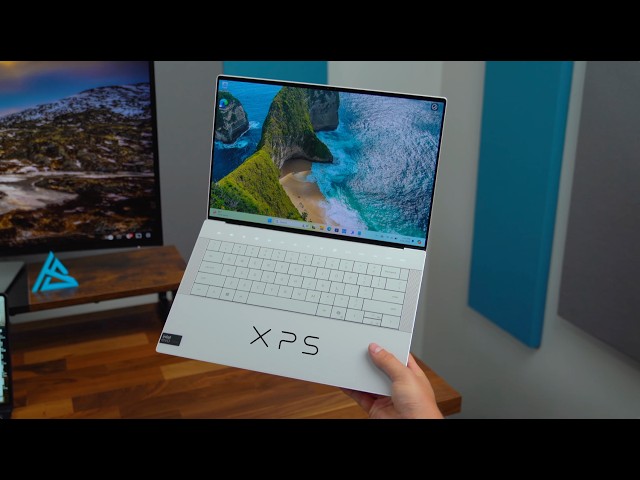
The Dell XPS 14 (9440) does not try to impress you loudly. It does something far more dangerous. It quietly convinces you that every other Windows laptop suddenly feels outdated. From the moment you place your hands on it, there is a clear sense that this machine was engineered with obsession rather than compromise.
This is not just a laptop. It is a carefully sculpted tool built for professionals who demand performance, visual excellence, and a refined daily experience. Whether you are coding for hours, editing high resolution video, designing architectural models, or running multiple demanding applications at once, the XPS 14 positions itself as the perfect middle ground between portability and raw power.
Below is a deeply detailed breakdown of what truly makes this device stand out and where it still leaves room for debate.
The Design
A Radical Minimalist Statement
Get TikTok SEO Cheat here
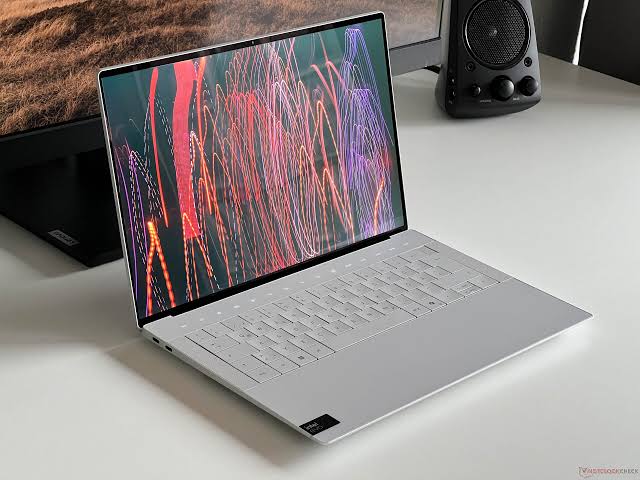
There is nothing accidental about the design of the XPS 14. Every surface, edge, and transition feels intentional. Dell has moved away from traditional laptop design and embraced a futuristic approach that prioritizes clean continuity over visible structure.
At first glance, the laptop almost looks like a single seamless object rather than a collection of parts. The CNC machined aluminum chassis gives it a dense, premium feel that instantly communicates durability. When you hold it, there is no flex, no creaking, and no sense of fragility. It feels engineered to survive the daily realities of movement, commuting, and long term usage.
The Seamless Glass Palm Rest
The palm rest is one of the most talked about features. Instead of the usual segmented design, Dell uses a continuous glass surface that stretches across the entire resting area.
This creates a visually stunning effect. It feels smooth, cool, and extremely premium under your hands. However, it is not just about aesthetics. The glass surface is resistant to wear and maintains its clean look over time, even with heavy usage.
The Invisible Haptic Trackpad
There is no visible trackpad boundary. At first, this feels disorienting. Your fingers search for edges that are not there.
But after a short adjustment period, the experience becomes surprisingly natural. Dell has refined the haptic feedback system so clicks feel precise and consistent regardless of where you press. The subtle etched guides now help you instinctively locate the active area without breaking the visual illusion.
This is one of those features that initially feels experimental but gradually becomes second nature.
The Zero Lattice Keyboard
The keyboard abandons traditional spacing. Each key sits tightly beside the next, creating a flat, continuous typing surface.
At first, typing accuracy may drop slightly. Your fingers are used to separation and defined gaps. However, after a few days of consistent use, muscle memory adapts. The typing experience then transforms into something fast, controlled, and satisfying.
The key travel, though not deep, delivers a firm and responsive feedback that makes long typing sessions comfortable.
Durability and Real World Usage
This is not just a beautiful machine. It is built to handle real life conditions. The structure has been tested against environmental stress, meaning it can endure heat, dust, and minor shocks better than most thin laptops.
For users navigating busy urban environments, commuting frequently, or working across different locations, this level of resilience matters.
The Display
A Visual Experience That Redefines Expectations
The display is where the XPS 14 moves from impressive to extraordinary.
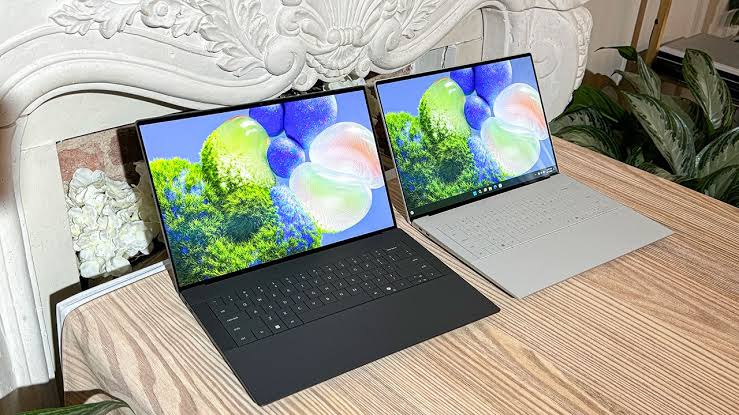
The 3.2K Tandem OLED panel is not simply sharp. It is immersive. Colors do not just appear accurate. They feel alive. Blacks are deep and truly dark, while bright areas shine with intensity that makes content feel almost three dimensional.
Tandem OLED Technology Explained
Instead of a single OLED layer, this display uses two stacked layers. This approach dramatically increases brightness and improves longevity.
The result is a screen that remains visible even in bright environments. Reflections are less intrusive, and outdoor usage becomes far more practical than traditional OLED panels.
Fluid Motion and Smart Refresh Rate
The adaptive refresh rate adjusts dynamically between lower and higher levels depending on what you are doing.
When scrolling or interacting with content, the screen feels smooth and responsive. When reading or viewing static content, it conserves energy by reducing refresh activity.
This intelligent balance enhances both performance and battery efficiency without requiring manual adjustment.
Color Accuracy for Professionals
For creators, color precision is critical. This display delivers near perfect color reproduction across the DCI P3 spectrum.
This means photographers, video editors, and designers can trust what they see on screen. There is no need for constant external calibration.
The Performance
Power That Feels Effortless
The XPS 14 is powered by Intel Core Ultra processors, designed to handle demanding workloads while maintaining efficiency.
The system feels fast in a way that goes beyond raw speed. Applications open instantly. Multitasking feels smooth. Heavy workloads do not introduce lag or hesitation.
AI Acceleration and NPU Integration
A major advantage is the built in Neural Processing Unit. This allows AI driven tasks to run locally without relying heavily on the CPU or GPU.
Features like intelligent background blur, voice isolation, and AI assisted editing happen quickly and efficiently. This not only improves performance but also preserves battery life.
Graphics Capability
With Intel Arc graphics or optional NVIDIA RTX configuration, the laptop handles creative workloads with ease.
Video editing in high resolution feels fluid. Rendering tasks complete faster. Even light gaming becomes enjoyable with stable performance.
This makes the XPS 14 versatile enough for both professional work and occasional entertainment.
Battery Life
Built for Real World Demands
Battery performance is one of the most important aspects for professionals, especially in environments where power availability is inconsistent.
In real world usage, the XPS 14 delivers reliable endurance. You can comfortably go through a full day of productivity without constantly worrying about charging.
Practical Usage Experience
For tasks like browsing, document editing, coding, and streaming, the battery holds up impressively well.
Even with the OLED display, which typically consumes more power, the system manages energy efficiently.
Charging Flexibility
The use of USB C charging adds convenience. You can charge using compatible power banks or multi device chargers, making it easier to stay powered on the go.
Ports and Connectivity
Minimalism with Consequences
Dell has embraced a minimalist approach to ports.
You get multiple USB C ports and a headphone jack. That is all.
While this keeps the design clean and modern, it introduces practical limitations. Many users will need adapters for HDMI, USB A devices, and memory cards.
Dell includes a dongle, but relying on it becomes part of daily usage.
Technical Specifications
| Component | Specification |
|---|---|
| Processor | Intel Core Ultra 7 Series |
| RAM | 16GB, 32GB, or 64GB LPDDR5x |
| Storage | 512GB to 4TB SSD |
| Display | 14.5 inch 3.2K OLED Touch |
| Graphics | Intel Arc or NVIDIA RTX 4050 |
| Weight | 1.68 kg |
| Build | CNC Aluminum with Glass Palm Rest |
| Ports | USB C Thunderbolt, Headphone Jack |
| Battery | All day usage capability |
| Price Range in Nigeria | ₦2,800,000 to ₦4,200,000 |
Audio and Everyday Experience
The quad speaker system delivers rich, full sound that fills a room surprisingly well for a laptop.
Vocals are clear. Bass is present without distortion. Watching movies or listening to music feels immersive without needing external speakers.
The overall user experience feels polished. From opening the lid to interacting with the interface, everything flows smoothly.
A Premium Tool for Serious Users
The XPS 14 is not designed for casual buyers looking for affordability. It is built for professionals who value quality, performance, and design in equal measure.
Strengths
Exceptional display quality that stands among the best available
Premium build that feels durable and refined
Strong performance across productivity and creative tasks
Efficient battery life suitable for demanding schedules
Elegant and futuristic design language
Limitations
High cost within the Nigerian market
Limited port selection requiring adapters
Initial learning curve for keyboard and trackpad
Verdict
The Dell XPS 14 succeeds because it does not try to appeal to everyone. It focuses on delivering a high end experience for users who understand and appreciate what it offers.
If your work depends on performance, visual precision, and reliability, this laptop does not just meet expectations. It quietly exceeds them in ways that become more noticeable the longer you use it.
Read More On:

