AI video generation has changed how content is created. What used to take hours of filming, editing, and production can now be done in minutes using simple text prompts.
From social media content and adverts to training videos and product demos, AI video tools are helping creators and businesses produce high-quality videos faster and at lower cost.
But with so many tools available, the real question is not whether to use AI video generators. It is which one fits your needs.
This guide breaks down the 10 best AI video generators, with detailed insights into features, strengths, limitations, and real-world use cases.
Get TikTok SEO Cheat here
What Is an AI Video Generator
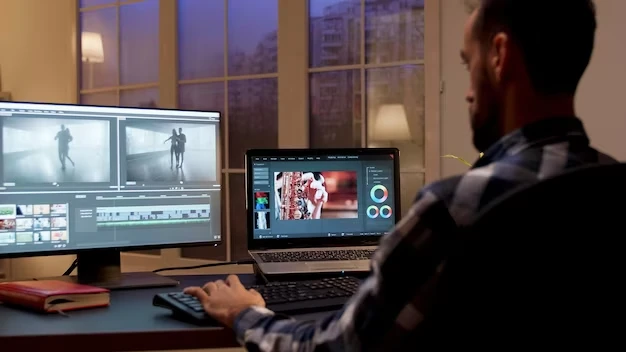
An AI video generator is a tool that uses artificial intelligence to create videos from text, images, or existing footage.
Depending on the platform, you can:
- Turn a script into a full video
- Generate realistic scenes from prompts
- Create videos with AI presenters
- Convert images into motion clips
- Add voiceovers automatically
These tools rely on machine learning models trained on large datasets to understand visuals, motion, and language.
Key Features to Consider Before Choosing a Tool
Before selecting an AI video generator, pay attention to these critical factors:
1. Output Quality
Some tools produce basic animations, while others create near cinematic visuals. Choose based on your content needs.
2. Ease of Use
If you are a beginner, look for simple interfaces and templates. Advanced tools may require some learning.
3. Customization Options
The ability to edit scenes, control styles, and adjust timing is important for professional results.
4. Rendering Speed
Fast generation is essential if you produce content regularly.
5. Pricing and Value
Free tools may have limitations. Paid tools often offer better quality and features.
List of The 10 Best Online AI Video Generators
Numerous tasks have been simplified by the internet, creating a stress-free environment for both professionals and amateurs to do their tasks. There are free online logo creators available if you’re having trouble coming up with a design for your company or brand. This also applies to videos; using the text-to-video generators described below, you can create amazing Text to TikTok videos and other types of videos without having any prior experience with video creation.
1. Runway
Best for creators and advanced video editing. Runway is one of the most powerful AI video platforms available today. It combines video generation with advanced editing tools, making it suitable for both beginners and professionals.
Key Features
- Text to video generation
- Motion editing and scene control
- Background removal and object editing
- Real-time collaboration tools
Why Runway Stands Out
Runway allows you to not just generate videos but also refine and edit them in detail. This makes it ideal for content creators, filmmakers, and digital marketers.
Limitations
- Some features require a paid plan
- Can be complex for beginners
2. Synthesia
Best for business and corporate videos. Synthesia focuses on creating videos with AI avatars that speak your script. It is widely used for training, onboarding, and explainer videos.
Key Features
- AI avatars with realistic speech
- Multiple language support
- Script-based video creation
- Custom branding options
Why Synthesia Ai video Stands Out
It removes the need for cameras, actors, or studios. Businesses can produce professional videos quickly and at scale.
Limitations
- Limited creative storytelling options
- Less suitable for cinematic content
3. Pika
Best for creative and short form content. Pika is designed for creators who want visually appealing and stylized videos.
Key Features
- Text to video generation
- Creative visual styles
- Quick rendering for short clips
Why It Stands Out
It is simple to use and produces engaging visuals, making it perfect for social media content.
Limitations
- Limited control for complex projects
4. Kling Ai
Best for realistic motion and storytelling. Kling is known for producing highly realistic videos with natural movement and consistent characters.
Key Features
- Advanced motion generation
- Scene continuity
- High-quality rendering
Why It Stands Out
It performs well in storytelling, product videos, and branded content.
Limitations
- May require more processing time
- Access can be limited depending on region
5. InVideo AI
Best for marketing and social media videos. InVideo AI is built for speed and simplicity, especially for marketers.
Key Features
- Text to video conversion
- Ready-made templates
- Automated voiceovers
Why It Stands Out
You can create ads, reels, and promotional videos in minutes.
Limitations
- Less control over advanced editing
Read also:
- 8 Simple Ways to remove Privacy Protection Password (Anti-theft)
- 2023 Social Media Image Sizes CHEAT SHEET
- How to Stop “Mail Delivery Failed” Spam from Your Domain (SPF, DKIM, DMARC Guide)
- Why Your Website Shows Old Content Even After You Update It (And How to Fix It Fast)
- Polaris Bank Sort Codes for All Branches in Nigeria
6. Luma Dream Machine
Best for fast visual content creation. Luma is ideal for turning ideas into short video clips quickly.
Key Features
- Image to video conversion
- Fast rendering
- High-quality visuals
Why It Stands Out
It is one of the fastest tools available for generating short video content.
Limitations
- Limited editing features
- Best for short clips only
7. Veed Ai
Best for beginners and quick editing
Veed combines AI video generation with a simple editing interface.
Key Features
- Subtitle generation
- Basic video editing tools
- Online accessibility
Why It Stands Out
It is easy to use and requires no technical skills.
Limitations
- Limited advanced features
8. Descript
Best for script based video and audio content. Descript is popular for podcast creators and educators.
Key Features
- Script to video editing
- Voice cloning and AI narration
- Audio and video integration
Why It Stands Out
You can edit videos by editing text, which simplifies the workflow.
Limitations
- Not focused on visual generation
9. Colossyan
Best for team based video production. Colossyan is designed for businesses that need structured video workflows.
Key Features
- AI avatars
- Collaboration tools
- Training video creation
Why It Stands Out
It supports team projects and enterprise-level content production.
Limitations
- Limited creative flexibility
10. Google Veo
Best for high end cinematic video generation. Google Veo is one of the most advanced AI video tools available.
Key Features
- Realistic scene generation
- Advanced motion and lighting
- Audio synchronization
Why It Stands Out
It produces near professional film quality output.
Limitations
- Limited access
- Not beginner-friendly
AI Video Generator Categories Explained
Understanding the different categories will help you choose better:
- Text to Video Tools: These generate videos directly from written prompts. Examples include Runway, Pika, and Veo
- Avatar Based Tools: These create videos with AI presenters. Examples include Synthesia and Colossyan
- Image to Video Tools: These turn images into moving clips. Examples include Luma
How to Choose the Right Tool for Your Needs
Your choice depends on your goal:
- For social media content, use Pika or InVideo
- For business presentations, use Synthesia or Colossyan
- For advanced editing, use Runway
- For cinematic production, use Veo or Kling
Choosing the right tool saves time and improves output quality.
Benefits of Using AI Video Generators
- Faster content production
- Lower production costs
- No need for cameras or studios
- Easy scalability for businesses
- Ability to create content consistently
Limitations You Should Be Aware Of
- Some tools lack full creative control
- Output quality can vary
- Advanced tools may have a learning curve
- Subscription costs can add up
Final Thoughts
AI video generators are no longer just experimental tools. They are now essential for content creation, marketing, and communication.
The best approach is to start with a tool that matches your current needs, then expand as your content strategy grows.
With the right platform, you can produce high-quality videos faster, reach more people, and scale your content without increasing production costs.