
Smartphones are no longer luxury devices in Nigeria. They are essential tools for communication, online business, banking, education, and entertainment. From Lagos to Abuja to Port Harcourt, millions of Nigerians rely on their phones daily.
However, frequent usage, unstable power supply, harsh weather conditions, and heavy apps often lead to frustrating phone problems. Many users panic when these issues occur, but the truth is that most of them can be fixed quickly without professional help.
In this detailed guide, you will learn the real reasons behind the most common phone problems Nigerians face and how to fix them effectively.
1. Fast Battery Drain
Why This Happens

Battery drain is one of the biggest challenges smartphone users face in Nigeria. Due to inconsistent electricity supply, many people charge their phones overnight or use power banks frequently, which can gradually weaken battery health.
Get TikTok SEO Cheat here
Apps like WhatsApp, Instagram, TikTok, and mobile games continue running in the background, consuming battery even when not in use. Poor network signals also force your phone to work harder, leading to faster battery drain.
How To Fix It
- Reduce your screen brightness or enable auto brightness
- Turn off Bluetooth, GPS, and mobile data when not needed
- Close background apps regularly
- Enable battery saver mode
- Avoid overcharging your phone overnight
- Use only original chargers
- Replace the battery if necessary
2. Phone Overheating
Why This Happens
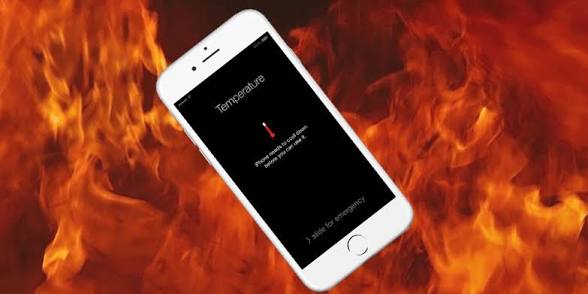
Nigeria’s hot climate combined with heavy phone usage can easily cause overheating. Activities like gaming, video streaming, and editing put pressure on your phone’s processor, generating heat.
Using your phone while charging also increases temperature, which can damage internal components over time.
How To Fix It
- Avoid using your phone under direct sunlight
- Remove your phone case when it gets hot
- Close heavy apps
- Do not use your phone while charging
- Keep your phone updated
- Allow your phone to cool before continued use
3. Slow Performance And Hanging
Why This Happens
A slow phone often results from low storage space, too many installed apps, or limited RAM. Many affordable smartphones struggle with newer apps that require more processing power.
How To Fix It
- Restart your phone regularly
- Delete unused apps and files
- Clear cached data
- Avoid installing heavy apps unnecessarily
- Keep enough free storage space
4. Poor Network Signal
Why This Happens
Network issues are common in Nigeria due to location, congestion, and service provider limitations. Weak signals affect calls, internet speed, and message delivery.
How To Fix It
- Switch between network modes
- Turn airplane mode on and off
- Reinsert your SIM card
- Move to a better signal location
- Contact your network provider
5. Data Draining Too Fast
Why This Happens
Many apps consume data in the background without users realizing it. Automatic updates, cloud syncing, and high-quality streaming can quickly exhaust your data bundle.
How To Fix It
- Turn off background data
- Disable automatic app updates
- Use data saver mode
- Lower video streaming quality
- Monitor your data usage
Read More On:
- Turning Everyday Plastic into Timeless Stone Inspired Decor.
- How to Use Nervous System Regulation to Prevent Holiday Hosting Burnout.
6. Phone Not Charging Properly
Why This Happens
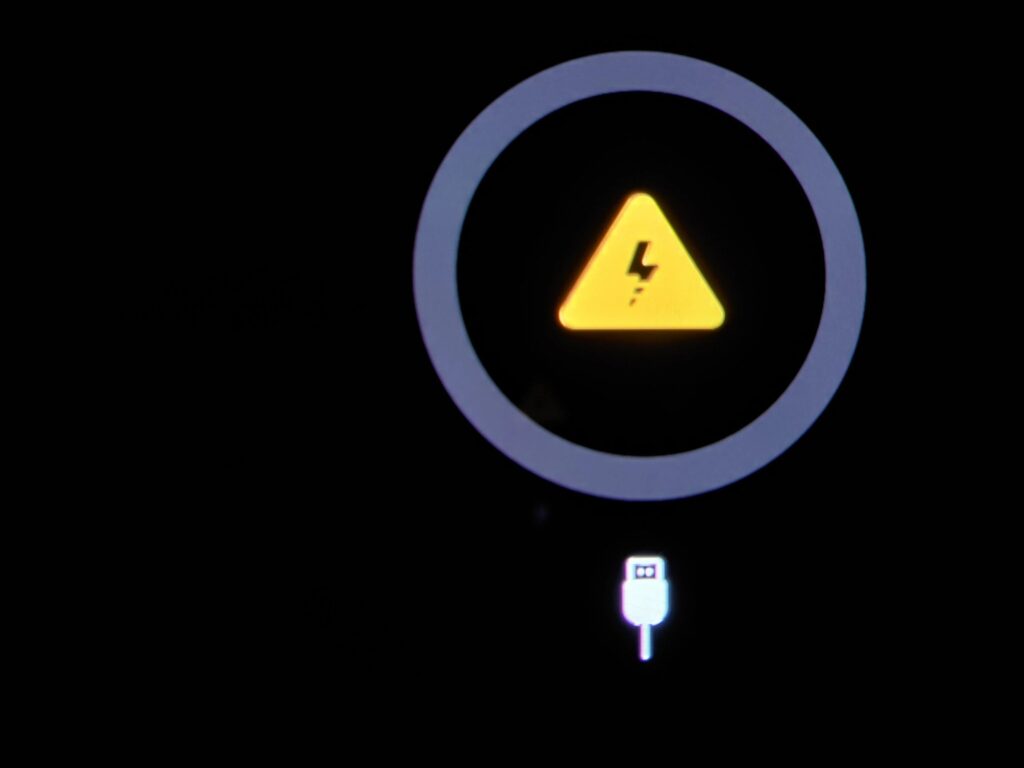
Charging issues can result from damaged cables, faulty charging ports, or unstable electricity supply. Dirt in the charging port can also block proper connection.
How To Fix It
- Clean your charging port gently
- Try a different charger
- Avoid unstable power sources
- Use original accessories
- Check for hardware damage
7. Cracked Screen
Why This Happens
Accidental drops are the main cause of cracked screens. Even minor cracks can worsen over time and affect touch sensitivity.
How To Fix It
- Apply a screen protector
- Replace the screen
- Use a protective case
- Handle your phone carefully
8. Apps Crashing Frequently
Why This Happens
Apps crash due to outdated versions, bugs, or insufficient memory. Some apps are poorly optimized and may not work well on certain devices.
How To Fix It
- Update the app
- Clear cache and data
- Reinstall the app
- Restart your phone
- Update your phone software
9. Storage Space Full
Why This Happens
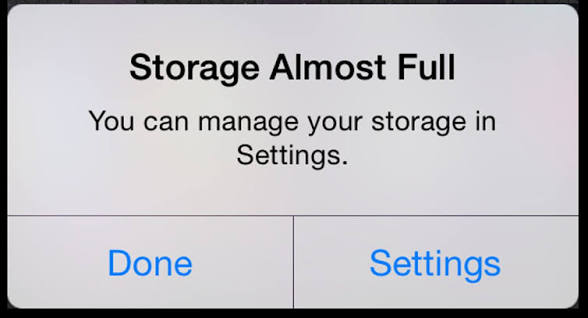
Photos, videos, and WhatsApp media quickly fill up storage. When storage is full, your phone may slow down or stop functioning properly.
How To Fix It
- Delete unnecessary files
- Move files to cloud or memory card
- Uninstall unused apps
- Clear WhatsApp media
- Use storage cleaner tools
10. Phone Not Connecting To WiFi
Why This Happens
WiFi issues may be caused by incorrect settings, router problems, or software glitches.
How To Fix It
- Restart your phone and router
- Forget and reconnect to WiFi
- Check your password
- Reset network settings
- Move closer to the router
Read More On:
- Understanding AI Privacy and How to Stay Safe.
- Wabi Sabi Living: How to Create Beautifully Imperfect Clay Pieces for Your Kitchen.
11. Touchscreen Not Responding
Why This Happens
An unresponsive screen may be due to software issues, dirt, or physical damage. Poor screen protectors can also reduce sensitivity.
How To Fix It
- Restart your phone
- Clean the screen
- Remove damaged screen protectors
- Update your phone
- Visit a technician if needed
12. Bluetooth Not Working
Why This Happens
Bluetooth issues occur due to pairing errors, bugs, or compatibility problems with other devices.
How To Fix It
- Turn Bluetooth off and on
- Restart your phone
- Reconnect the device
- Ensure devices are close
- Update your software
13. Camera Not Working Properly
Why This Happens
Camera issues are often caused by dirty lenses, software glitches, or storage limitations.
How To Fix It
- Clean the lens
- Restart your phone
- Clear camera cache
- Update your phone
- Avoid too many camera apps
14. Phone Keeps Restarting
Why This Happens
This problem is often linked to faulty apps, software bugs, or battery issues.
How To Fix It
- Remove recently installed apps
- Update your system
- Scan for malware
- Factory reset if necessary
- Consult a technician
15. Virus And Malware Attacks

Why This Happens
Downloading apps from unknown sources or clicking suspicious links exposes your phone to malware. This can slow your device and compromise your data.
How To Fix It
- Install apps from trusted sources
- Avoid suspicious links
- Use antivirus apps
- Keep your phone updated
- Avoid unsecured public WiFi
Pro Tips To Keep Your Phone In Good Condition
- Always use original chargers
- Avoid extreme heat exposure
- Update your phone regularly
- Back up your data
- Use a protective case and screen guard
Conclusion
Phone problems are common, especially with the way smartphones are used daily in Nigeria. The good news is that most of these issues can be fixed quickly with simple steps.
By understanding the causes and applying the right solutions, you can improve your phone’s performance, extend its lifespan, and save money on repairs.
Read More On: