


In the ever-evolving world of premium tablets, the line between a mobile device and a full-fledged workstation has become almost invisible. What used to be a secondary screen for media consumption has now transformed into a powerful, standalone productivity hub capable of replacing laptops for a growing number of users. Whether you are a creative professional sketching detailed concepts, a student juggling research and assignments, or a power user managing multiple workflows simultaneously, today’s flagship tablets are designed to meet you at that intersection of performance and versatility.
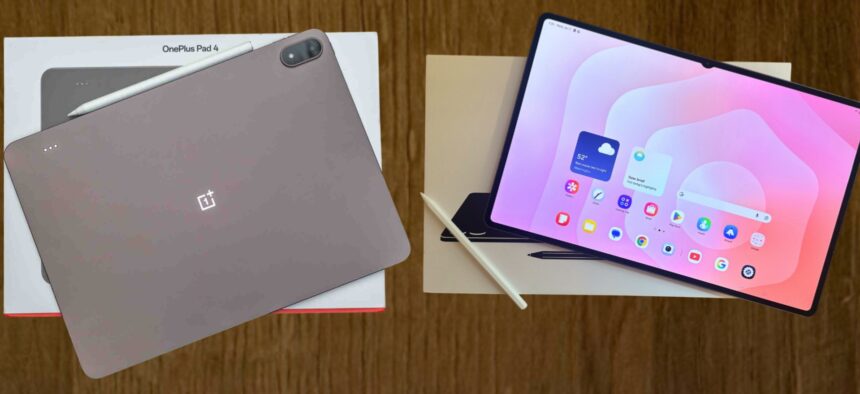
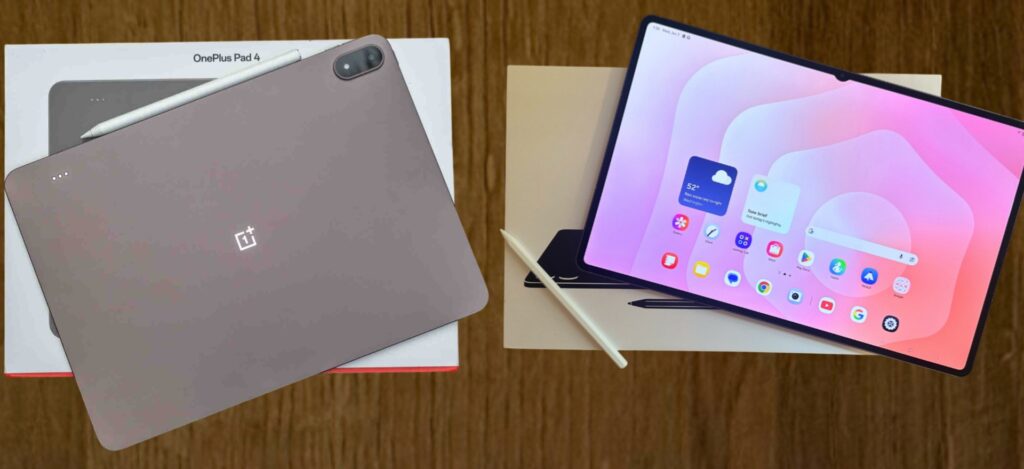
This is exactly where the OnePlus Pad 4 and the Samsung Galaxy Tab S11 Ultra step in. These two devices are not simply upgrades in a product cycle. They are bold statements from their respective brands, each representing a completely different philosophy about what a “pro tablet” should be.
On one hand, the OnePlus Pad 4 positions itself as a performance-first machine. It is engineered for speed, responsiveness, and efficiency. Everything about it feels intentional for users who prioritize raw power, smooth multitasking, and battery endurance without stretching their budget into ultra-premium territory. It is the kind of device that quietly dominates benchmarks while delivering a clean and fluid everyday experience.
On the other hand, the Samsung Galaxy Tab S11 Ultra takes a more expansive approach. It is not just a tablet, it is an ecosystem centerpiece. With its massive display, deeply integrated software features, and productivity enhancements, Samsung is clearly targeting users who want a no-compromise digital workspace. It leans heavily into creativity, professional use, and seamless interaction with other Galaxy devices, making it feel less like a gadget and more like a digital command center.
Get TikTok SEO Cheat here
What makes this comparison particularly compelling is that neither device is objectively better in every category. Instead, each one excels in areas that reflect different user priorities. One focuses on speed and endurance. The other focuses on immersion and versatility.
So the real question is not which tablet is the best overall. The real question is this: which one is the best for you?
This in-depth review is designed to answer that question with clarity and precision. We will break down every critical aspect of these devices, from display technology and processing power to stylus performance, battery life, and software experience. Every section is crafted to give you not just specifications, but real-world insight into how these tablets perform in daily use.
By the end of this guide, you will have a clear understanding of where each tablet shines, where it compromises, and which one aligns perfectly with your workflow, lifestyle, and expectations.
Let us get into the details.
The Display experience
Visual Immersion versus Fluid Precision
The display is the first thing you notice on any tablet, and in this case, it sets the tone for everything else.
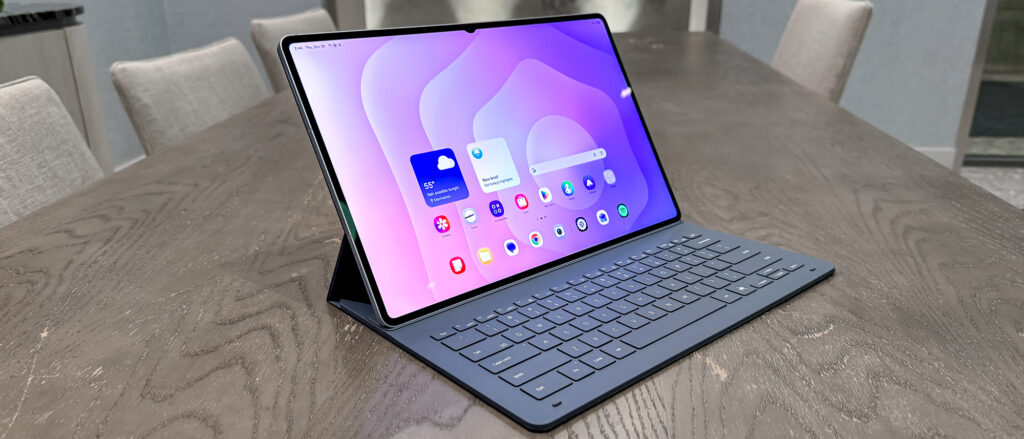
The Samsung Galaxy Tab S11 Ultra delivers an experience that feels almost cinematic. Its expansive 14.6 inch Dynamic AMOLED 2X panel is nothing short of breathtaking. Colors are intensely vibrant, blacks are perfectly deep, and contrast levels are so precise that every image feels alive. Whether you are watching high-definition content or editing photos, the visual clarity is on another level. The brightness peaks high enough to remain visible even under strong lighting conditions, and the 120Hz refresh rate ensures smooth scrolling and transitions.
This display is built for immersion. It draws you in and keeps you engaged, making it ideal for creatives, movie lovers, and anyone who values visual excellence.
In contrast, the OnePlus Pad 4 takes a more balanced and performance-driven approach. Its 13.2 inch IPS LCD panel might not offer the same deep contrast as AMOLED, but it compensates with exceptional sharpness and fluidity. The 3.4K resolution ensures that text and images appear crisp, while the 144Hz refresh rate makes every interaction feel incredibly smooth.
What stands out here is consistency. The brightness is strong enough for most environments, and the color accuracy is reliable for everyday tasks. It may not have the dramatic visual punch of Samsung’s panel, but it delivers a clean, fast, and dependable viewing experience.
If your priority is cinematic quality and color depth, Samsung clearly leads. If you prefer ultra-smooth interaction and sharp clarity, OnePlus holds its ground impressively.
The Performance
Raw Speed Meets Intelligent Efficiency
Performance is where the philosophical differences between these two tablets become even more obvious.
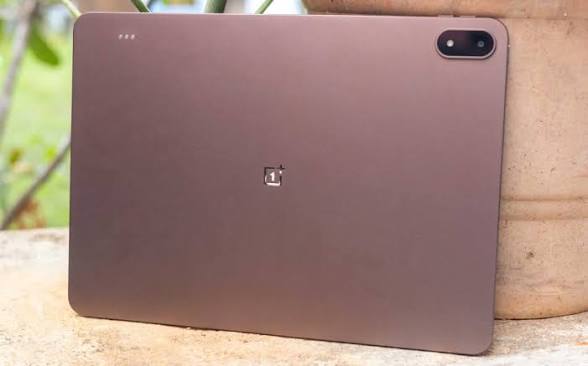
The OnePlus Pad 4 is built around the Snapdragon 8 Elite Gen 5 processor, and it shows. This tablet feels incredibly fast in every scenario. Apps launch instantly, multitasking is seamless, and even the most demanding games run effortlessly. With up to 12GB of RAM, it handles multiple active windows without slowing down.
OnePlus has also refined its multitasking system, allowing users to run several apps side by side with fluid transitions. The experience feels responsive and uninterrupted, making it perfect for users who demand speed and efficiency.
Meanwhile, the Samsung Galaxy Tab S11 Ultra takes a slightly different route with the MediaTek Dimensity 9400+. While it may not always top raw benchmark charts, it excels in sustained performance and power efficiency. More importantly, it integrates deeply with Samsung’s AI-driven features.
Tasks like real-time translation, advanced photo editing, and smart automation feel more intelligent and context-aware. The tablet adapts to how you work, rather than simply executing commands quickly.
In practical terms, the OnePlus Pad 4 feels like a high-performance engine built for speed, while the Samsung Galaxy Tab S11 Ultra feels like a smart system designed for adaptability and long-term efficiency.
Stylus and Productivity
Precision tools for serious work
A premium tablet is incomplete without a capable stylus, and this is where both devices showcase their strengths in very different ways.
Samsung includes the S Pen with the Galaxy Tab S11 Ultra, and it remains one of the most refined stylus experiences available. The latency is incredibly low, making writing and drawing feel natural and immediate. Features like Air Actions add another layer of functionality, allowing you to control the device with gestures.
For note-taking, sketching, and professional design work, the S Pen feels precise and reliable. It is an essential part of the tablet’s identity.
The OnePlus Pad 4 offers the Stylo Pro, which is sold separately but brings its own unique advantages. With an impressive level of pressure sensitivity and built-in haptic feedback, it creates a tactile experience that mimics writing on paper. Artists and designers may find this particularly appealing, as it adds a physical dimension to digital creativity.
While Samsung focuses on integration and convenience, OnePlus emphasizes realism and feedback. Both approaches are effective, but they cater to different creative preferences.
Endurance versus balance
Battery performance can define the overall user experience, especially for a device meant to replace a laptop.
The OnePlus Pad 4 stands out with its massive battery capacity. It is designed to last through extended usage without constantly reaching for a charger. What truly sets it apart is its charging speed. The ability to go from empty to full in a short time is a game changer, particularly for users with busy schedules.
This combination of long battery life and rapid charging creates a sense of freedom. You spend less time worrying about power and more time using the device.
The Samsung Galaxy Tab S11 Ultra, while slightly behind in raw battery size, still delivers reliable all-day performance. Its charging speed is more modest, but the efficiency of its processor helps maintain consistent usage throughout the day.
In this category, OnePlus clearly takes the lead in endurance and convenience, while Samsung provides a more balanced but less aggressive approach.
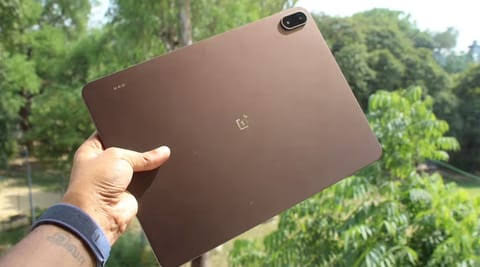
Technical specifications comparison
| Feature | OnePlus Pad 4 | Samsung Galaxy Tab S11 Ultra |
|---|---|---|
| Display | 13.2 inch LCD, 144Hz, 3.4K | 14.6 inch AMOLED, 120Hz |
| Processor | Snapdragon 8 Elite Gen 5 | Dimensity 9400+ |
| RAM | Up to 12GB | Up to 16GB |
| Storage | Up to 512GB | Up to 1TB |
| Battery | 13,380mAh fast charging | 11,600mAh |
| Stylus | Stylo Pro optional | S Pen included |
| Durability | Aluminum build | Water and dust resistant |
| Price Range | More affordable | Ultra premium |
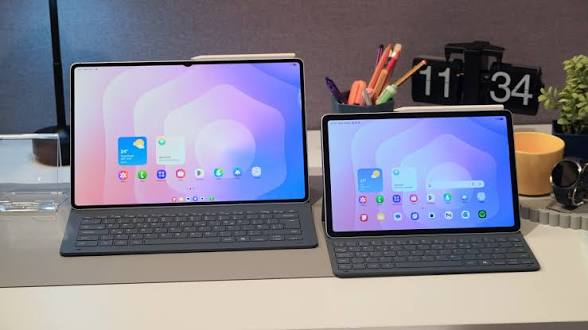
Lightweight Fluidity Versus Desktop Power
Software is where these devices truly separate themselves in day to day usage.
Samsung’s One UI 8 introduces a desktop-like environment that transforms the tablet into a productivity powerhouse. Features like DeX mode allow you to work with multiple windows, use keyboard shortcuts, and interact with apps in a way that feels similar to a traditional computer.
It is ideal for users who want their tablet to function as their primary work device.
The OnePlus Pad 4, running OxygenOS 16, takes a lighter approach. The interface is clean, fast, and visually smooth. It focuses on simplicity and responsiveness rather than complexity. File sharing within the OnePlus ecosystem is seamless, and the overall experience feels effortless.
If Samsung is about replacing your laptop, OnePlus is about enhancing your workflow without adding unnecessary layers.
Choosing the right tablet for your needs
If your priority is speed, long battery life, and a more affordable entry into the premium tablet space, the OnePlus Pad 4 is an outstanding choice. It delivers exceptional performance and a fluid user experience that feels fast in every interaction.
If you are looking for the most immersive display, advanced productivity tools, and a feature-rich ecosystem, the Samsung Galaxy Tab S11 Ultra stands in a league of its own. It is designed for users who want a complete digital workspace with minimal compromises.
Ultimately, both tablets represent the peak of what modern Android devices can achieve. The difference lies not in which one is better, but in which one aligns more closely with how you work, create, and interact with technology every day.
Read More On:

