


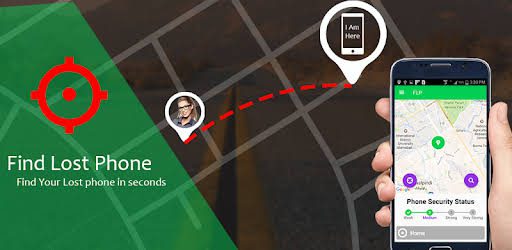
Losing your phone or having it stolen can feel like losing a part of your life. Your smartphone holds your contacts, photos, financial apps, personal conversations, and even sensitive work information. The good news is that modern technology has made it much easier to locate and recover a lost or stolen phone if you act quickly and correctly.
This detailed guide will walk you through everything you need to know about tracking your lost or stolen phone effectively, securing your data, and increasing your chances of recovery.
Why Acting Fast Is Important
The moment you realize your phone is missing, time becomes your biggest advantage. The faster you respond, the higher the chances of tracking it successfully before it is switched off, reset, or moved to an unknown location.
Immediate action helps you:
Get TikTok SEO Cheat here
- Track the phone while it is still connected to the internet
- Prevent unauthorized access to your personal data
- Lock or erase sensitive information remotely
- Increase recovery chances with accurate location data
Step One: Call or Text Your Phone Immediately
Before assuming the worst, try the simplest solution first.
- Call your number using another phone
- Send a message requesting whoever finds it to return it
- Offer a reward if necessary
Sometimes phones are misplaced rather than stolen. A simple call could lead to quick recovery.
Step Two: Use Built In Phone Tracking Services
Most smartphones come with built in tracking features that can help you locate your device on a map.
For Android Devices
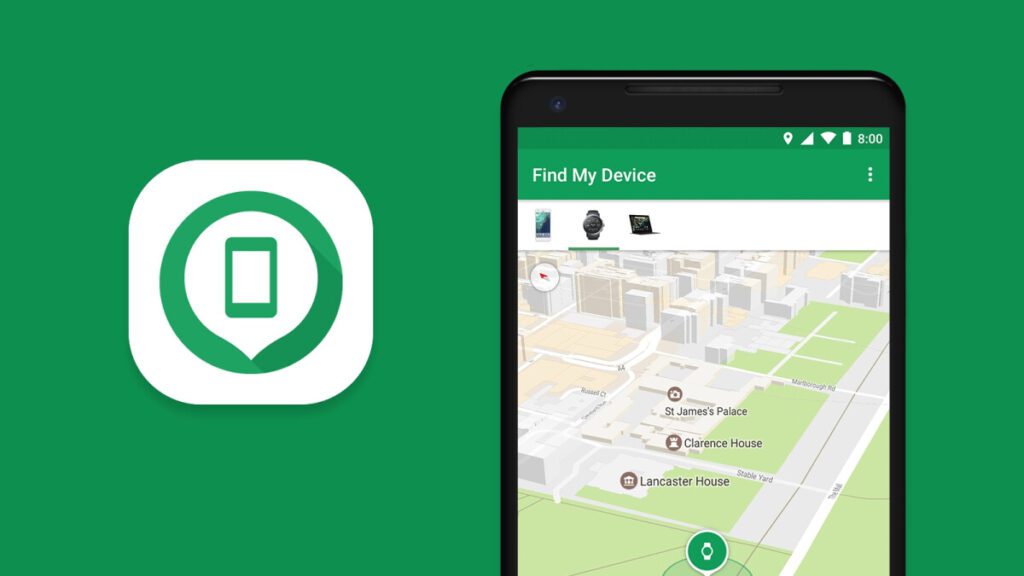
Use Find My Device
Steps to follow:
- Visit the Find My Device website or use the app on another device
- Sign in with your Google account linked to the lost phone
- View your phone’s real time location on the map
- Play a sound to help locate it if nearby
- Lock the device remotely
- Display a message or contact number on the screen
- Erase all data if recovery seems impossible
For iPhone Users
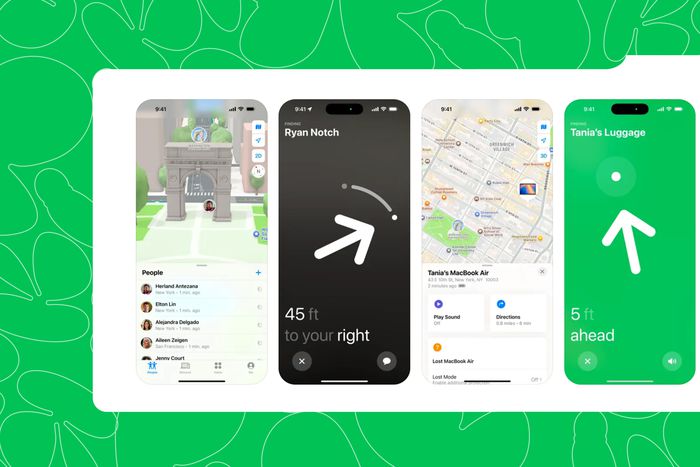
Use Find My iPhone
Steps to follow:
- Log into iCloud using your Apple ID
- Open Find My iPhone
- Select your lost device from the list
- View its current or last known location
- Activate Lost Mode to lock the phone
- Display a custom message for whoever finds it
- Erase the phone remotely if needed
These tools are extremely powerful and should be your first major action step.
Step Three: Track Using IMEI Number
Every phone has a unique IMEI number that can help track it.
What to do:
- Locate your IMEI number from your phone box or purchase receipt
- Contact your network provider
- Request them to block the device
- Provide the IMEI to law enforcement
While individuals cannot directly track phones using IMEI, telecom providers and authorities can use it to identify and block stolen devices.
Read More On:
Step Four: Report to Your Network Provider
Contact your mobile service provider immediately.
In Nigeria, popular providers include:
- MTN Nigeria
- Airtel Nigeria
- Globacom
- 9mobile
What they can do:
- Block your SIM card to prevent misuse
- Issue a replacement SIM
- Help track suspicious activity
- Blacklist the device using IMEI
This step protects your calls, SMS, and mobile banking access.
Step Five: Report to the Police
Visit the nearest police station and file an official report.
Provide the following details:
- Phone model and brand
- IMEI number
- Last known location
- Time and place the phone was lost or stolen
In Nigeria, you can report to the Nigeria Police Force.
Why this matters:
- Creates an official record
- Helps in recovery if the phone is found
- Required for insurance claims
Step Six: Secure Your Accounts Immediately
Your phone contains access to many sensitive accounts. If it falls into the wrong hands, your privacy and finances are at risk.
Important actions:
- Change passwords for email accounts
- Log out of all devices remotely
- Disable mobile banking apps
- Contact your bank if necessary
- Enable two factor authentication
Focus especially on:
- Email accounts
- Social media platforms
- Banking and payment apps
Step Seven: Use Third Party Tracking Apps
If you had installed extra security apps before losing your phone, they can provide advanced tracking features.
Popular options include:
- Cerberus
- Prey Anti Theft
Features may include:
- Taking pictures of the thief
- Recording audio remotely
- Tracking SIM card changes
- Hiding the app from detection
These apps increase your chances of recovery significantly.
Read More On:
Step Eight: Check Nearby Locations Physically
Technology is useful, but sometimes your phone may still be close to you.
Check places like:
- Your home or office
- Car seats or compartments
- Shops or restaurants recently visited
- Public transport vehicles
Combine physical search with digital tracking for best results.
Step Nine: Monitor for Suspicious Activity
Keep an eye on your accounts and phone activity.
Watch out for:
- Unauthorized transactions
- Strange login alerts
- Messages sent without your knowledge
If anything unusual happens, act immediately by contacting relevant service providers.
Step Ten: Prevent Future Loss or Theft
Once you recover your phone or get a replacement, take steps to avoid future incidents.
Enable Security Features
- Activate screen lock with PIN, pattern, or biometrics
- Turn on location services
- Enable remote tracking features
Keep Your IMEI Safe
- Save it in a secure location
- Dial star hash zero six hash to retrieve it anytime
Install Anti Theft Apps
- Use reliable tracking apps
- Keep them updated
Be Security Conscious
- Avoid exposing your phone in crowded places
- Use anti theft bags or pockets
- Stay alert in public areas
Common Mistakes to Avoid
- Waiting too long before taking action
- Forgetting to enable tracking features beforehand
- Not saving your IMEI number
- Ignoring account security after losing your phone
Avoiding these mistakes can make a huge difference.
Frequently Asked Questions
- Can a switched off phone be tracked? A switched off phone cannot be tracked in real time, but you can see its last known location using tracking services.
- Can a factory reset phone still be tracked? Most tracking services stop working after a reset, but IMEI tracking may still help authorities identify the device.
- Is it possible to recover a stolen phone? Yes, recovery is possible, especially if you act quickly and use all available tools.
Conclusion
Losing your phone is stressful, but it does not have to be the end of the story. By acting fast, using built in tracking tools, securing your accounts, and involving your network provider and authorities, you can significantly improve your chances of recovery.
The key is preparation and quick response. Always enable tracking features on your device and keep important information like your IMEI number safe. With the right approach, you can stay one step ahead and protect both your device and your data.
6Read More On:

