


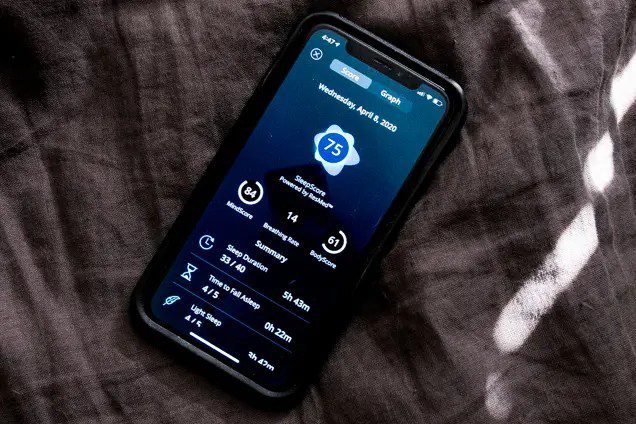
A Complete Step by Step Guide
Sleep plays a vital role in your overall health, productivity, mental clarity, and emotional balance. Yet many people struggle to understand whether they are getting quality rest or just spending hours in bed without proper recovery. Fortunately, your smartphone can serve as a powerful tool to monitor, analyze, and improve your sleep patterns.
With the right setup, apps, and habits, you can turn your phone into a personal sleep assistant that gives you deep insights into your nightly rest. This guide will walk you through everything you need to know in a clear and detailed way so you can take control of your sleep and improve your life.
Understanding Sleep Tracking and Why It Matters
Sleep tracking is the process of monitoring your sleep duration, cycles, movements, and habits to understand how well you rest each night. Modern smartphones use a combination of sensors such as microphones, motion detectors, and sometimes connected wearables to gather data while you sleep.
Tracking your sleep helps you identify patterns such as how long it takes you to fall asleep, how often you wake up, and whether you are getting enough deep sleep. Over time, this information allows you to make informed adjustments that lead to better rest and improved health.
Get TikTok SEO Cheat here
Choosing the Right Sleep Tracking App
Your phone alone cannot analyze sleep patterns without software. That is where sleep tracking apps come in. Choosing the right app is the first step toward accurate and useful data.
Some of the most reliable and widely used sleep tracking apps include Sleep Cycle, Pillow, Sleep as Android, and Google Fit.
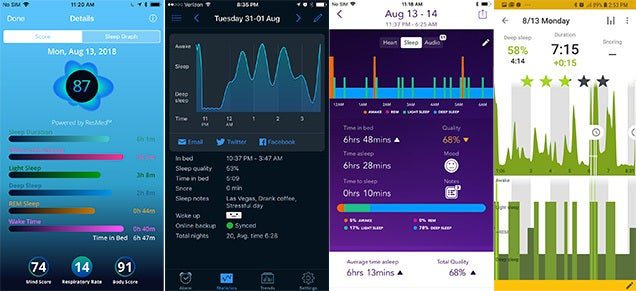
Each of these apps offers unique features such as smart alarms, sleep stage tracking, snore detection, and detailed reports. When choosing an app, consider the following factors
- Ease of use so you can navigate without confusion
- Accuracy of tracking and data insights
- Compatibility with your device
- Extra features like sound recording or relaxation tools
- Free versus premium options depending on your budget
Selecting the right app sets the foundation for effective sleep tracking.
Setting Up Your Phone for Accurate Sleep Tracking
Once you install a sleep tracking app, proper setup is essential to get accurate results. Many people skip this step and end up with unreliable data.
Start by placing your phone in the correct position. Most apps recommend placing your phone on the mattress near your pillow or on a bedside table close to your head. This allows the phone to detect movement and sounds effectively.
Make sure your phone is fully charged or connected to a power source. Sleep tracking runs throughout the night and can drain battery quickly.
Enable necessary permissions such as microphone access and motion tracking. These features allow the app to monitor breathing patterns, movements, and environmental noise.
Turn on airplane mode if you want to reduce distractions and limit interruptions during the night.
Read More On: How to Schedule Emails to Send Later
Understanding How Sleep Tracking Works
To use your phone effectively, it is important to understand how it actually tracks your sleep.
Sleep tracking apps use your phone sensors to detect
- Body movements during sleep
- Breathing patterns through sound analysis
- Snoring or disturbances in the environment
- Periods of restlessness or stillness
Based on this data, the app estimates your sleep stages such as light sleep, deep sleep, and awake periods. While it may not be as precise as clinical sleep studies, it provides a very useful approximation for everyday improvement.
Creating a Consistent Sleep Routine
Sleep tracking is only useful if you maintain consistency. Your phone collects data best when your habits are stable.
Try to go to bed and wake up at the same time every day. This helps your body establish a natural rhythm and improves the accuracy of your sleep reports.
Use your app’s bedtime reminder feature to alert you when it is time to wind down. Many apps offer gentle notifications that help you stay on schedule.
Avoid using your phone for social media or entertainment right before bed. Instead, use calming features like meditation sounds or relaxation exercises provided within sleep apps.
Analyzing Your Sleep Data
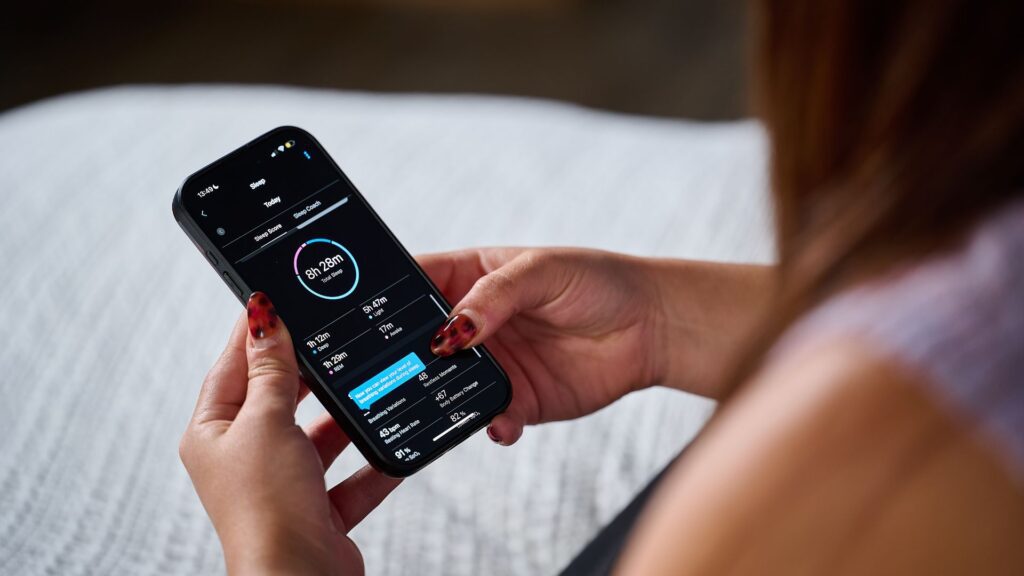
After a few nights of tracking, your app will begin to generate detailed reports. Understanding this data is key to improving your sleep.
- Look at metrics such as total sleep duration to ensure you are getting enough rest
- Sleep efficiency which shows how much time in bed is actually spent sleeping
- Sleep stages to understand how much deep sleep you are getting
- Interruptions that may indicate stress or environmental issues
Pay attention to patterns over time rather than focusing on a single night. Consistent trends reveal the most valuable insights.
Using Smart Alarms for Better Wake Up Experience
One of the most powerful features of sleep tracking apps is the smart alarm. Instead of waking you up at a fixed time, smart alarms analyze your sleep cycle and wake you during a light sleep phase.
This results in a more natural and refreshing wake up experience, reducing grogginess and improving your mood for the day.
Apps like Sleep Cycle are particularly known for this feature, making mornings much easier.
Improving Your Sleep Based on Insights
Tracking alone is not enough. You must use the data to make meaningful changes.
- If your reports show frequent interruptions, consider reducing noise or improving your sleeping environment.
- If you are not getting enough deep sleep, try reducing caffeine intake and limiting screen exposure before bed.
- If you have irregular sleep times, work on building a consistent routine.
Your phone becomes a guide that helps you make smarter lifestyle choices for better rest.
Read More On: How to Block Spam Calls and Scam SMS
Combining Phone Tracking with Wearable Devices
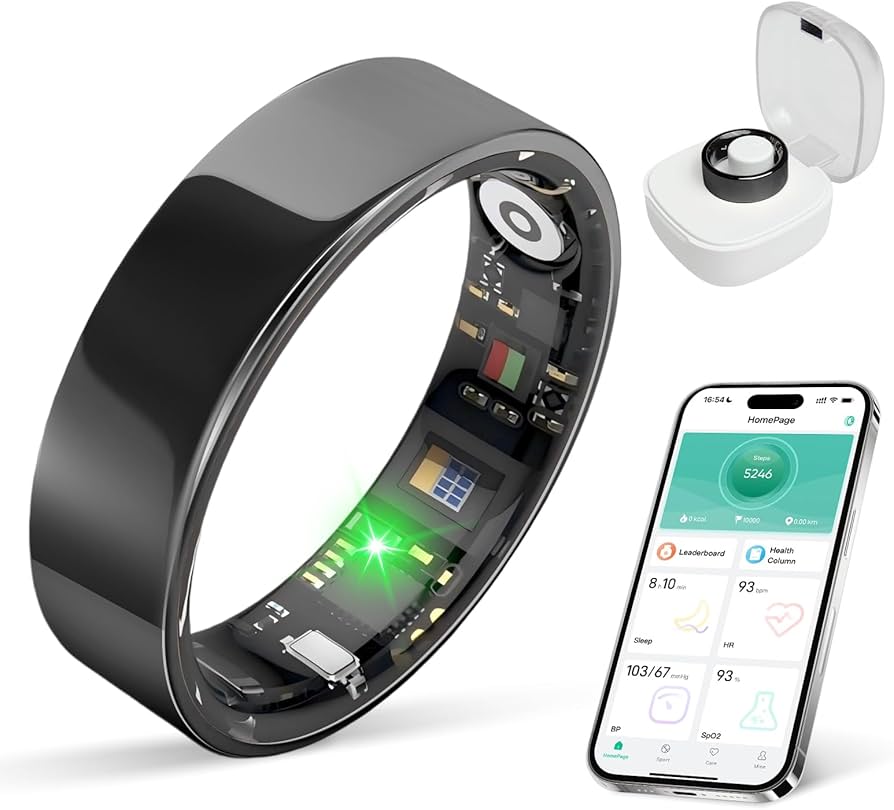
For even more accurate results, you can combine your phone with wearable devices such as smartwatches or fitness bands.
Devices from companies like Apple and Samsung integrate seamlessly with sleep apps to provide more precise data including heart rate and oxygen levels.
While this step is optional, it significantly enhances your ability to monitor your sleep in detail.
Avoiding Common Mistakes When Tracking Sleep
Many users make simple mistakes that reduce the effectiveness of sleep tracking.
- Placing the phone too far away from the bed
- Forgetting to start the tracking session
- Ignoring app permissions
- Changing sleep schedules frequently
- Relying on a single night’s data
Avoiding these mistakes ensures more reliable insights and better results.
Maintaining Privacy and Data Security
Since sleep tracking apps collect personal data, it is important to protect your privacy.
- Choose reputable apps with strong privacy policies
- Avoid granting unnecessary permissions
- Regularly review your data settings
Apps like Google Fit offer robust security features to keep your information safe.
Conclusion
Tracking your sleep patterns with your phone is one of the easiest and most effective ways to improve your overall health. With the right app, proper setup, and consistent habits, you can gain valuable insights into your sleep and make meaningful changes that enhance your daily life.
Your smartphone is more than just a communication tool. It can become a powerful companion in your journey toward better sleep, higher energy levels, and improved well being.
Read More On: How to Use ChatGPT for Work and School.