


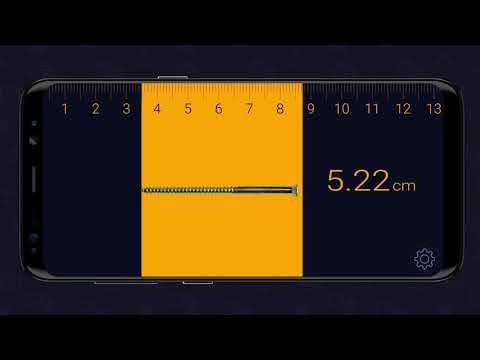
In today’s digital lifestyle, your smartphone has quietly evolved into something far more powerful than a communication tool. It is now a smart assistant, a creative studio, and remarkably, a precision measurement device that can rival traditional tools in everyday situations. What used to require a physical tape measure, a laser distance tool, or even professional equipment can now be done with a simple scan using your camera.
This transformation is powered by a combination of Augmented Reality, motion sensors, and intelligent software that allows your phone to understand depth, distance, and spatial relationships. Instead of guessing whether a sofa will fit your living room or estimating wall space for a shelf, you can now measure accurately in real time with just a few taps.
For homeowners, interior designers, students, and everyday users, this capability opens up a new level of convenience. Imagine standing in your room and instantly calculating dimensions without touching a single tool. Imagine measuring height, width, or even area simply by pointing your camera. This is not just a feature. It is a complete shift in how we interact with our physical environment.
This guide is designed to walk you through everything you need to know. You will learn how to prepare your environment, how to use measurement apps effectively, how to improve accuracy, and how to handle real life scenarios with confidence. By the end, you will be able to measure objects, spaces, and even people with near professional precision using only your smartphone.
Get TikTok SEO Cheat here
Understanding How Camera Measurement Works
Before jumping into the practical steps, it is important to understand what is happening behind the scenes.
Your smartphone combines several technologies:
• Camera lens captures visual data
• Motion sensors track movement and orientation
• Software builds a three dimensional map of your surroundings
• Depth sensing detects how far objects are from you
Some advanced phones include additional sensors that emit light and measure how it reflects back. This improves accuracy significantly, especially in low light or complex environments.
In simple terms, your phone is constantly calculating distance by analyzing how objects shift as you move your device. This is what allows it to place virtual measuring lines on real world objects.
Preparing your environment for accurate results
Accurate measurement begins before you even open an app. Many users skip this step and end up with inconsistent results.l
Lighting conditions
Your camera needs clear visibility to track surfaces properly. Poor lighting reduces accuracy because the system struggles to identify edges and textures.
Best practice:
• Use natural light when possible
• Turn on room lights to eliminate shadows
• Avoid strong glare from reflective surfaces
Surface quality
Plain or reflective surfaces can confuse your device.
Examples include:
• Glass tables
• Mirrors
• Plain white walls
Solution:
Place a small object such as paper, tape, or a book on the surface to give your camera a reference point.
Ideal measuring distance
Distance plays a major role in accuracy.
| Distance from Object | Accuracy Level | Recommendation |
|---|---|---|
| Very close | High | Best for small objects |
| Moderate distance | Very high | Ideal for furniture and walls |
| Far distance | Low | Avoid when possible |
Stay within a comfortable range where the object is fully visible on your screen.
Step By Step Guide To Measuring Objects With Your Camera
Step 1: Open your measurement app
Most smartphones already have a built in tool or support third party applications designed for measuring.
Once opened, you will see your camera view along with a targeting point on the screen.
Step 2: Calibrate your device
Move your phone slowly around the space.
This allows the system to:
• Detect floors and walls
• Understand depth
• Build a spatial map
Do not rush this step. A well calibrated environment produces far more accurate results.
Step 3: Set your starting point
Position the on screen marker exactly where you want the measurement to begin.
This could be:
• The edge of a table
• The corner of a wall
• The base of an object
Tap the add button to lock the starting point.
Step 4: Move to the end point
Slowly move your phone toward the end of the object.
You will notice a line forming between the start and end points.
Keep your movement steady to avoid distortion.
Step 5: Finalize the measurement
Tap the add button again to complete the measurement.
The length will instantly appear on your screen.
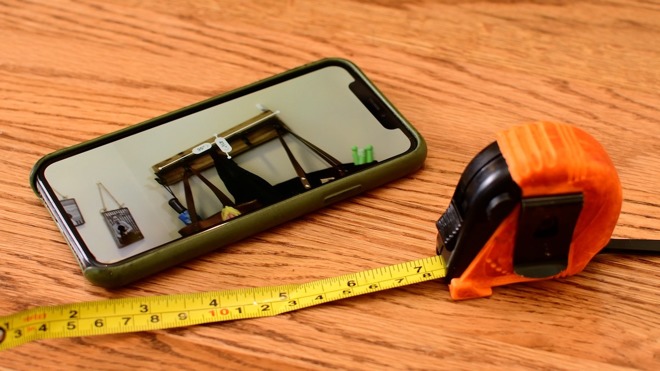
Measuring Different Types Of Objects
Measuring furniture
When measuring furniture like tables or sofas:
• Capture both length and width
• Measure from edge to edge
• Take multiple readings for confirmation
This helps ensure your furniture fits perfectly in your space.
Measuring walls and rooms
To measure a room:
• Start from one corner
• Move along the wall slowly
• Pause briefly at each corner
This allows the system to register each point accurately.
Measuring height
For height measurement:
• Start from the base
• Move your camera upward steadily
• Stop at the highest point
Some devices automatically detect the top and display the height instantly.
Advanced Techniques For Higher Accuracy
The double measurement method
Measure the same object twice from different angles.
If both readings are similar, your result is reliable.
Use reference objects
Place a known object such as a standard card or paper beside what you are measuring.
This helps your device calibrate better.
Pause at critical points
When measuring corners or edges, hold your phone still for a few seconds.
This improves accuracy significantly.
Maintain steady movement
Avoid shaking your phone.
Smooth and controlled motion leads to better results.
Practical use cases
| Task | Should you trust camera measurement | Practical advice |
|---|---|---|
| Checking furniture fit | Yes | Ideal for planning layout |
| Hanging frames | Yes | Combine with level feature |
| Room planning | Yes | Great for initial design |
| Precise construction | No | Use physical tools for final work |
Common mistakes to avoid
• Moving too fast while measuring
• Measuring in low light conditions
• Ignoring calibration step
• Measuring reflective surfaces without reference
• Taking only one reading
Avoiding these mistakes will instantly improve your results.
Pro tips for everyday users
• Always measure twice before making decisions
• Use screenshots to save measurements
• Keep your camera lens clean
• Practice on simple objects before complex ones
The more you use the tool, the more accurate and confident you become.
Conclusion
Measuring real world objects using your camera is no longer a novelty. It is a practical skill that can save time, reduce guesswork, and improve decision making in everyday life. Whether you are planning your living space, buying new furniture, or simply curious about dimensions around you, your smartphone offers a powerful and accessible solution.
By understanding how the technology works, preparing your environment properly, and applying the right techniques, you can achieve results that are impressively close to professional standards. While traditional tools still have their place in highly precise work, camera based measurement has become an essential everyday companion.
Once you master this skill, you will find yourself reaching for your phone instead of a tape measure more often than you ever expected.
Read More On:

