


There is a quiet but powerful shift happening in the world of digital creation. For years, customization has largely meant placing ink onto a surface, flat, predictable, and visually appealing but lacking physical depth. Whether it was printing logos on mugs, designs on phone cases, or artwork on canvas, the limitation was always the same. You could see the design, but you could not truly feel it.
Now, that boundary is being challenged in a meaningful way.
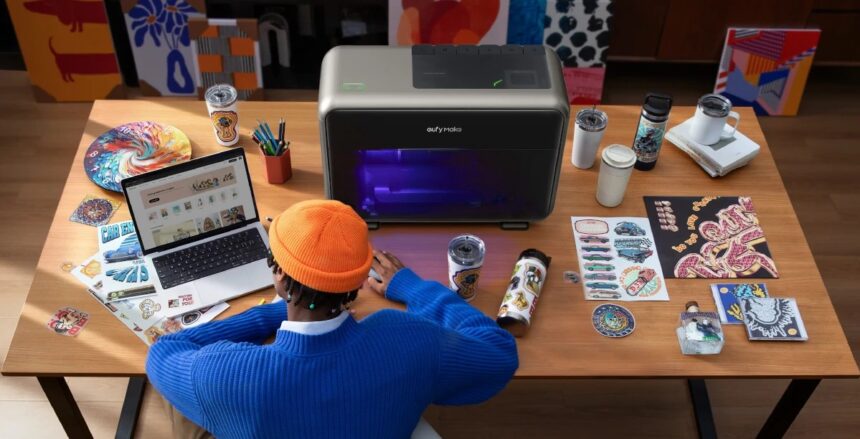
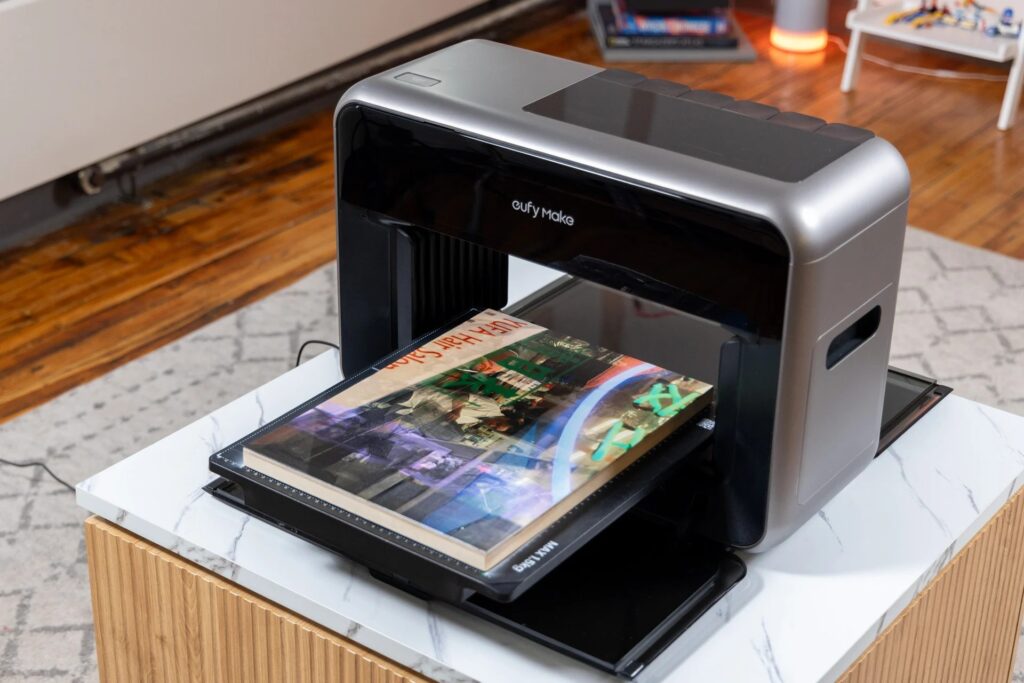
The Anker EufyMake E1 represents a significant leap forward in how creators interact with materials. It introduces the ability to not only print images but to physically build them up into textured surfaces that mimic real world materials. This is not just a technical upgrade. It is a creative transformation.
For entrepreneurs, small business owners, and makers building brands through platforms like Etsy or Shopify, this device opens doors to a new class of premium products. Instead of competing on price or basic design, creators can now compete on experience. Products can be touched, felt, and appreciated in a way that was previously reserved for expensive industrial machines.
Get TikTok SEO Cheat here
What makes this even more compelling is accessibility. Technology that once required large scale investment, technical expertise, and industrial space has now been condensed into a desktop machine. This brings professional grade capabilities into home studios and small workshops.
This review takes a deep, detailed look at what makes this printer stand out, how it performs in real world scenarios, and whether it truly delivers on its promise of transforming product customization.
Amass3D Technology Explained in Depth
At the heart of the Anker EufyMake E1 lies its defining feature, Amass3D technology. This is not a marketing gimmick. It is the foundation that separates this machine from traditional UV printers.
Understanding tactile printing
Most printers deposit ink in extremely thin layers. The result is smooth and flat. Even high resolution prints lack physical depth.
Amass3D changes this entirely by stacking UV curable ink layer by layer until it reaches a height of up to 5 millimeters. This means the printer is not just decorating a surface. It is sculpting it.
Imagine printing a painting where you can feel the brush strokes. Imagine a wooden design where the grain is physically raised. Imagine a leather pattern that actually feels textured under your fingers. That is the level of immersion this technology delivers.
AI driven texture mapping
The system is enhanced by intelligent software known as eufyMake Studio. This software analyzes uploaded images and automatically generates texture maps.
For example
A photo of a stone wall is not treated as a flat image. The software identifies cracks, edges, and depth variations. It then instructs the printer to deposit more ink in specific areas, recreating the uneven surface of real stone.
This reduces the learning curve significantly. Even users without design expertise can produce highly realistic textured outputs.
Creative implications
This capability shifts the entire value proposition of custom products
- Instead of selling printed items, creators can now sell experiences
- Instead of visual appeal alone, products gain tactile richness
- Instead of standard customization, designs become immersive
Design and Build Quality
Built for Real Workspaces
The Anker brand has a reputation for blending functionality with refined design, and that philosophy is clearly visible here.
Compact yet substantial
Weighing approximately 20 kilograms, the printer feels solid and well engineered. It is not overly bulky, making it suitable for a home office or small studio setup.
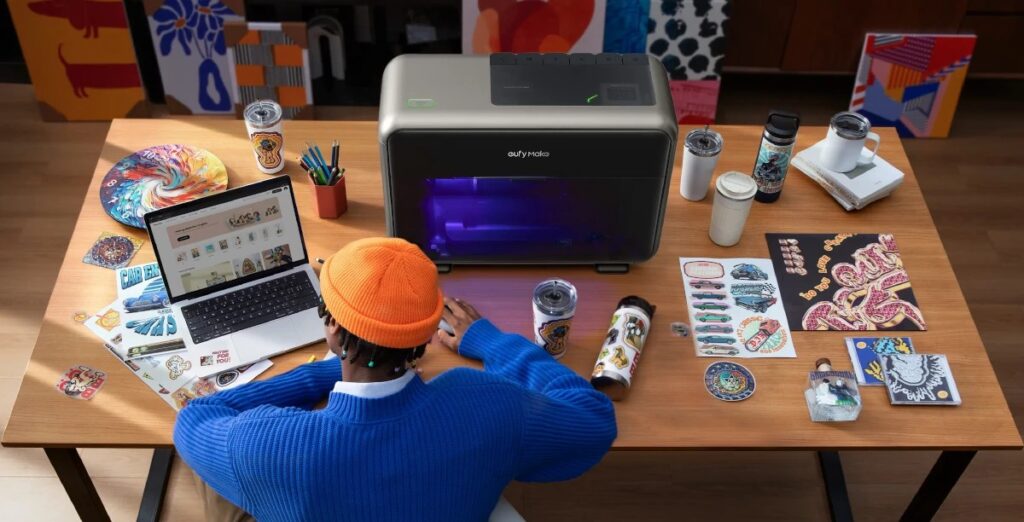
Its footprint fits comfortably on a standard desk, which is critical for creators working within limited space.
UV safety enclosure
One of the standout physical features is the foldable UV resistant shield. UV printing involves exposure to ultraviolet light, which can be harmful.
This enclosure blocks most of that radiation while still allowing you to monitor the printing process. It creates a balance between safety and usability.
Dual flatbed system
The inclusion of two flatbeds adds practical flexibility
| Feature | Description |
|---|---|
| Standard Flatbed | Ideal for larger items such as signage or plaques |
| Mini Flatbed | Perfect for small items like keychains and accessories |
Switching between these setups is straightforward, allowing users to adapt quickly depending on the project.
Expanding Creative Boundaries
One of the strongest advantages of UV printing is its ability to work across a wide range of materials. The Anker EufyMake E1 takes this to an impressive level.
Supported materials
The printer performs exceptionally well on
- Wood
- Metal
- Acrylic
- Slate
- Hard plastics
These materials open up a wide range of product possibilities, from decorative art pieces to branded merchandise.
Handling challenging surfaces
Not all materials behave the same way. Smooth and glossy surfaces like glass or ceramic can present adhesion challenges.
To address this, a UV adhesion promoter is often required. This extra step ensures that the ink bonds properly and does not peel over time.
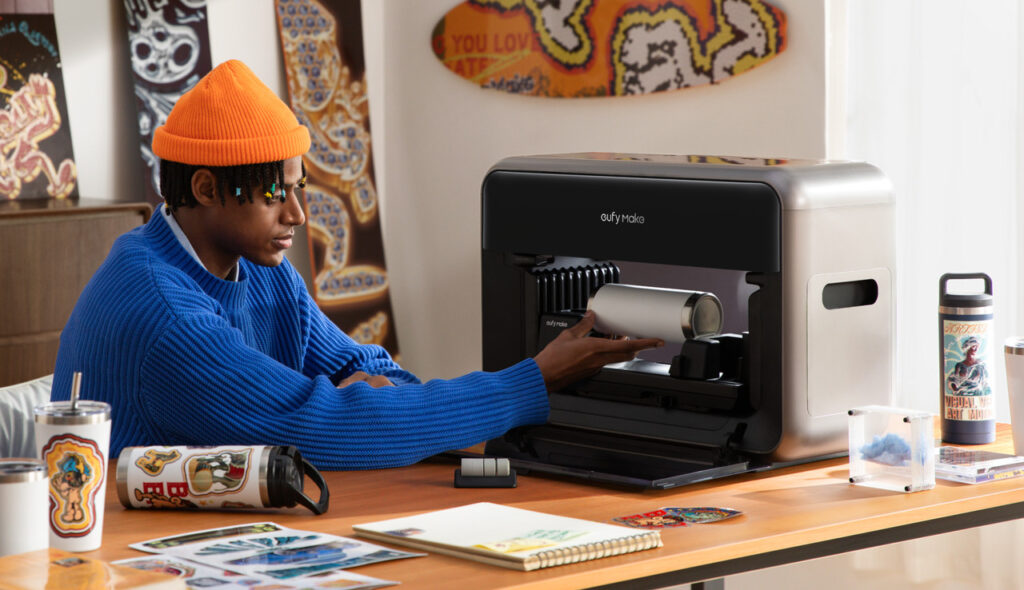
Rotary attachment capability
With an optional rotary attachment, the printer can handle cylindrical objects.
This includes
- Tumblers
- Mugs
- Glassware
This feature significantly expands the range of sellable products and positions the machine as a competitor to traditional sublimation setups.
Print Quality and Output Precision
The performance of any printer ultimately comes down to output quality, and this is where the device delivers strong results.
High resolution output
With a maximum resolution of 1440 DPI, prints appear sharp and detailed. Fine lines, gradients, and intricate patterns are reproduced with clarity.
Six color ink system
| Ink Type | Purpose |
|---|---|
| CMYK | Standard color reproduction |
| White Ink | Base layer for dark surfaces |
| Gloss Ink | Finishing layer for shine and protection |
The inclusion of white ink is particularly important. Without it, colors printed on dark materials would appear dull or washed out.
Gloss finishing layer
The gloss layer adds a professional finish to prints. It enhances visual appeal and provides a protective coating that improves durability.
Ease of Use and Maintenance
Practical Considerations
Despite its advanced capabilities, the printer is designed to be approachable.
Camera assisted alignment
An integrated camera captures an image of the workspace. Users can position their designs directly on this image through the software interface.
This eliminates guesswork and ensures precise placement.
Automated cleaning system
UV printers require regular maintenance to prevent clogging. The built in JetClean system automates this process.
It runs periodic cleaning cycles to keep the nozzles in optimal condition.
The trade off
This convenience comes at a cost
- Ink consumption increases due to maintenance cycles
- Cartridges can be relatively expensive
However, this is a common characteristic of UV printing technology and not unique to this model.
Technical Specifications Overview
| Feature | Specification |
|---|---|
| Maximum Print Area | 330 by 420 millimeters |
| Maximum Object Height | 100 millimeters |
| Texture Height | Up to 5 millimeters |
| Resolution | Up to 1440 DPI |
| Ink System | CMYK plus White plus Gloss |
| Connectivity | WiFi USB Mobile App |
Is It Worth the Investment
For small business owners, the key question is not just performance but return on investment.
High margin product potential
The ability to create textured, premium products allows for higher pricing. Customers are often willing to pay more for items that feel unique and high quality.
Examples include
- Textured photo plaques
- Custom engraved style metal products
- Luxury branded merchandise
Market differentiation
In a crowded marketplace, standing out is critical. This printer enables creators to offer something that many competitors cannot.
Scalability considerations
While powerful, it is not designed for large scale industrial production. Print speeds are suitable for small to medium batch sizes rather than mass manufacturing.
Pros and Cons Breakdown
Advantages
- Industry leading texture capability
- User friendly software and setup
- Wide material compatibility
- Compact design suitable for home use
Limitations
- High ink consumption for maintenance
- Ongoing cost of ink cartridges
- Not ideal for large scale production
A Creative Powerhouse for Modern Makers
The Anker EufyMake E1 is more than just a printer. It is a creative tool that redefines what customization can be.
It bridges the gap between industrial capability and personal accessibility. It empowers creators to move beyond flat designs and into a world where products have depth, texture, and physical presence.
For anyone serious about building a brand around unique, high quality products, this machine offers a compelling opportunity.
It is not the cheapest investment, and it does come with operational costs. However, the potential to create premium products with strong profit margins makes it a worthwhile consideration.
Read More On:

