


For years, premium laptops have existed within two dominant ecosystems. On one side stood Apple with its tightly integrated MacBook experience. On the other sat Windows laptops with endless hardware choices and growing AI capabilities. Google remained present in the conversation through Chromebooks, but those devices were often viewed as lightweight machines built primarily for students, casual users, and cloud focused productivity.
That perception changes completely with the arrival of the Googlebook.
This device is not simply another Chromebook with upgraded hardware. It represents a complete reinvention of what Google believes personal computing should feel like in an AI driven world. From the moment the lid opens, the Googlebook feels less like a traditional laptop and more like a deeply intelligent extension of the Android ecosystem.
The biggest transformation comes from Aluminium OS, a new operating system that merges desktop productivity with the fluidity and familiarity of Android. Combined with Gemini powered intelligence, local AI processing, and an entirely new interaction system called the Magic Pointer, the Googlebook positions itself as one of the most ambitious laptops Google has ever introduced.
Get TikTok SEO Cheat here
For Android users especially, this laptop promises something competitors have struggled to achieve. True ecosystem harmony.
The Googlebook does not just connect to your phone. It behaves like your phone evolved into a desktop workstation.
What makes this even more fascinating is that Google is no longer treating AI as an optional assistant hidden inside apps. AI is now embedded directly into navigation, multitasking, creativity, and productivity. Every movement across the interface feels intentionally designed around contextual intelligence.
The result is a laptop experience that feels futuristic without becoming complicated.
For professionals who live inside Google Docs, creators who rely on Android devices, students juggling productivity tools, or remote workers seeking seamless workflow integration, the Googlebook enters the market with enormous potential.
The question, however, is whether this ambitious machine truly delivers on its promises or whether it is simply an experimental showcase for Google’s AI ambitions.
After exploring its software, hardware, performance, and real world practicality, the answer becomes surprisingly clear.
A Premium Design That Feels Distinctly Google
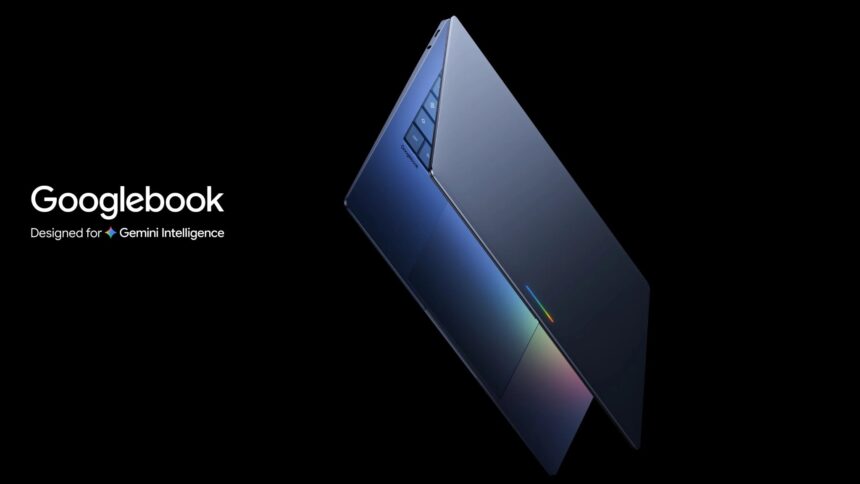
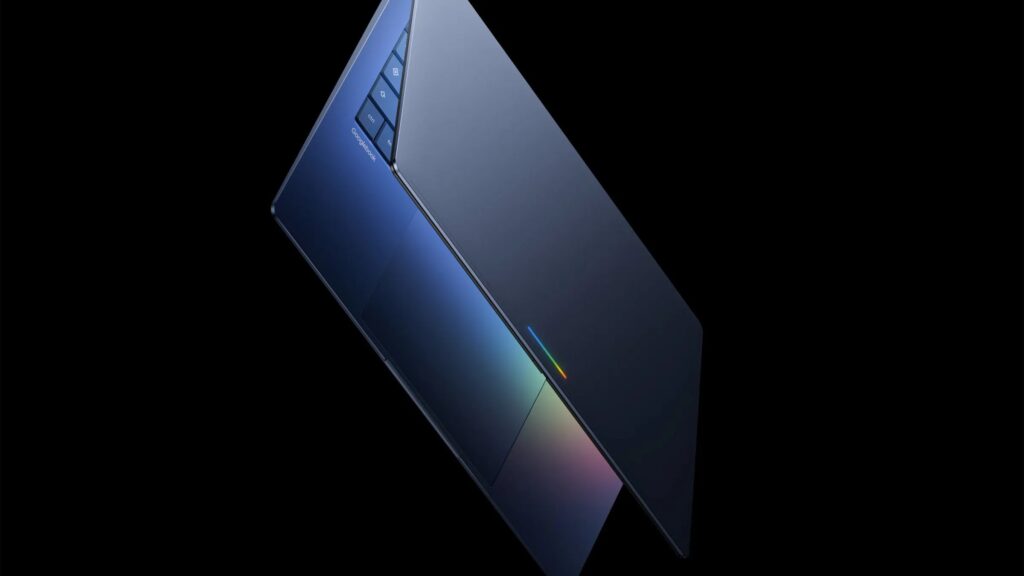
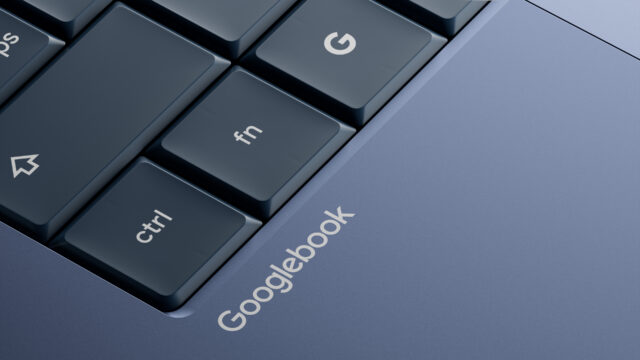
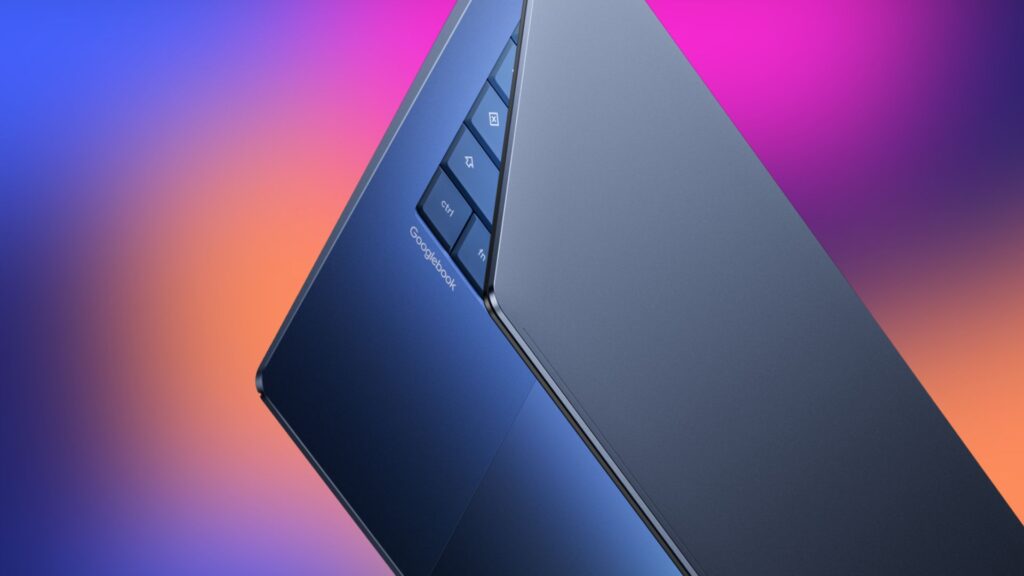
The first thing you notice about the Googlebook is its refined aluminum construction. Unlike older Chromebooks that often leaned toward affordability over elegance, the Googlebook feels premium in every sense.
The chassis is slim, clean, and lightweight at roughly three pounds, making it highly portable without sacrificing rigidity. The edges are smooth and minimalistic, giving the laptop a polished aesthetic that resembles a blend between a Pixel device and a modern ultrabook.
The standout feature is the Glowbar.
Positioned elegantly across the chassis, this illuminated strip serves more than a decorative purpose. It communicates system activity in real time through subtle color pulses and lighting animations. Incoming calls, charging states, Gemini processing tasks, and notifications all generate distinct lighting behaviors.
Instead of forcing users to constantly open the laptop lid, the Glowbar creates passive awareness in a surprisingly useful way.
Google has also equipped the device with premium connectivity features including Thunderbolt 5 ports, WiFi 7 support, and ultra fast wireless synchronization with Android phones.
Aluminium OS Changes Everything
The true identity of the Googlebook lies inside Aluminium OS.
This operating system feels like Google finally stopped treating laptops and phones as separate experiences. The interface immediately feels familiar to Android users thanks to its app drawer, dock layout, quick settings panel, and visual design language.
However, this is still a serious desktop operating system.
Users can open multiple resizable windows, create virtual desktops, run professional development tools, and multitask with impressive fluidity. The experience feels modern, responsive, and intentionally streamlined.
One of the most revolutionary features is App Casting.
Instead of downloading mobile apps separately onto the laptop, the Googlebook can instantly mirror applications directly from your Android phone with almost no visible latency. Messaging apps, banking apps, editing tools, and even games appear on the desktop as if they were native software.
This creates a workflow unlike anything currently available in the Windows ecosystem.
For Android users, the transition between phone and laptop becomes practically invisible.
Gemini Magic Pointer Feels Genuinely Futuristic
Perhaps the most innovative feature of the entire Googlebook experience is the Magic Pointer.
Traditional laptop cursors simply point and click. Google transformed the cursor into an intelligent AI interaction layer.
By hovering over content and performing subtle gestures, Gemini begins understanding context instantly.
For example, hovering over an address may trigger map suggestions. Hovering over a date inside an email can generate a calendar event automatically. Selecting text from multiple sources allows Gemini to summarize or compare information instantly.
The “Visualize Together” feature is especially impressive.
Users can combine separate images and allow Gemini to generate contextual visual previews. Someone redesigning a workspace could merge a photo of their office with furniture from a shopping website and instantly visualize how the setup would appear.
Instead of AI feeling isolated inside chatbots, it becomes woven directly into navigation itself.
That subtle difference completely changes the user experience.
Performance and Battery Life
Under the hood, the Googlebook runs on Intel Core Series 300 processors powered by the Wildcat Lake architecture.
These chips are heavily optimized for local AI workloads thanks to the dedicated NPU 5 engine delivering 40 TOPS of AI processing power.
This matters because many Gemini powered tasks can run entirely offline.
Image generation, smart summarization, predictive workflow tools, and contextual desktop automation happen locally without depending entirely on cloud servers. This improves privacy while also dramatically increasing responsiveness.
Battery life is another major achievement.
Thanks to Darkmont efficiency cores and aggressive optimization within Aluminium OS, the Googlebook delivers remarkably long endurance during real world usage.
Streaming, productivity work, multitasking, and AI assisted workflows consistently maintain all day performance without forcing users to search for a charger midway through the day.
Full Specifications Table
| Specification | Googlebook |
|---|---|
| Operating System | Aluminium OS |
| Processor | Intel Core Series 300 Wildcat Lake |
| AI Engine | NPU 5 |
| AI Performance | 40 TOPS |
| Display Options | LCD and OLED variants |
| Weight | Approximately 3 pounds |
| Connectivity | Thunderbolt 5, WiFi 7 |
| Phone Integration | Android App Casting |
| AI Features | Gemini Magic Pointer |
| Battery Life | Up to 22 hours |
| Build Material | Premium aluminum chassis |
| Special Feature | Glowbar notification strip |
Googlebook vs Chromebook Plus
| Feature | Chromebook Plus | Googlebook |
|---|---|---|
| Operating System | ChromeOS | Aluminium OS |
| AI Processing | Mostly cloud based | Local Gemini processing |
| Phone Integration | Standard syncing | Full App Casting |
| Desktop Experience | Web focused | Hybrid Android desktop |
| Hardware Identity | Conventional design | Glowbar premium design |
| Workflow Intelligence | Assistant features | Magic Pointer AI layer |
Who Should Buy the Googlebook?
The Googlebook is clearly designed for people deeply invested in the Google ecosystem.
Android users will gain the most value because the integration feels incredibly natural. Professionals using Google Workspace daily will appreciate the seamless synchronization between devices. Students and creators may also find the AI driven workflow enhancements genuinely useful for multitasking and productivity.
However, users heavily dependent on specialized Windows software may still find limitations within Aluminium OS during its early stages.
There are also occasional software inconsistencies that remind you this platform is still evolving.
Yet despite those rough edges, the overall experience feels remarkably polished for such an ambitious first generation product.
Final Verdict
The Googlebook does not feel like a simple laptop refresh.
It feels like Google attempting to redefine the future of personal computing around contextual AI and ecosystem integration. Instead of forcing users to adapt to AI tools manually, the Googlebook quietly integrates intelligence into navigation, multitasking, communication, and creativity.
That approach makes the experience feel more human, more fluid, and surprisingly intuitive.
The Magic Pointer alone changes how users interact with information. Aluminium OS successfully merges Android familiarity with true desktop productivity. Combined with outstanding battery life and strong hardware design, the Googlebook emerges as one of the most exciting AI focused laptops currently available.
It may not completely replace the MacBook for everyone, but for Android users, this is arguably the closest thing to a true ecosystem masterpiece Google has ever created.
And if Aluminium OS continues evolving at this pace, the future of AI native laptops may belong to Google sooner than many expected.
Read More On:

