


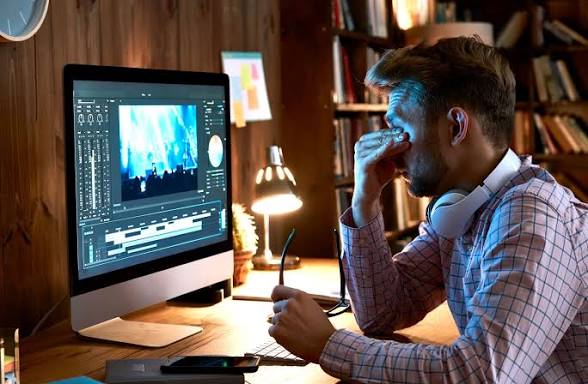
The modern digital lifestyle has transformed the way people work, communicate, learn, and entertain themselves. From remote meetings and content creation to online classes and endless scrolling through mobile devices, screens have become an inseparable part of everyday life. For digital professionals such as writers, marketers, designers, developers, teachers, and students, prolonged screen exposure is no longer occasional. It is constant.
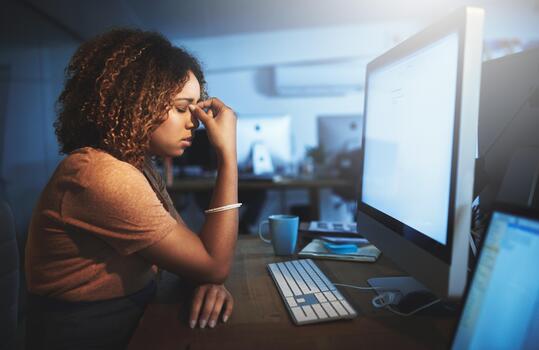
Yet while technology has improved productivity and connectivity, it has also introduced a growing health concern that many people ignore until the symptoms become overwhelming. Eye fatigue. Persistent headaches. Blurred vision. Dryness. Burning sensations. Difficulty focusing. Neck tension. Sensitivity to light. Poor sleep quality.
These symptoms are all linked to a condition known as Computer Vision Syndrome, also called digital eye strain.
Unlike reading from paper, digital screens force the eyes to work much harder. Tiny pixels flicker continuously. Brightness levels fluctuate. Artificial light overstimulates the visual system. Long periods of close focus place constant tension on the eye muscles. At the same time, concentration causes people to blink far less frequently, leading to severe dryness and irritation.
Get TikTok SEO Cheat here
The result is a silent but significant strain on one of the most valuable tools the human body possesses.
For professionals whose careers depend on visual precision and mental clarity, protecting eye health is no longer optional. It is essential for productivity, comfort, creativity, and long term wellness.
The good news is that digital eye strain can be dramatically reduced with the right habits, workspace setup, screen adjustments, and recovery techniques. Small changes in posture, lighting, blinking habits, and display settings can produce massive improvements in comfort and performance.
Whether you spend two hours or twelve hours daily behind a screen, these strategies will help you create a healthier digital environment that supports both your vision and your productivity.
The Science Behind Digital Eye Strain
Before learning how to solve digital eye strain, it is important to understand why it happens in the first place.
When you stare at a digital screen, your eyes constantly perform tiny adjustments called micro focusing movements. These movements help your eyes maintain clarity while processing text, motion, colors, and contrast on the display.
Unlike printed text on paper, screen text is made from pixels that lack sharply defined edges. Because of this, the eyes struggle to maintain a stable focus for extended periods.
This constant adjustment places stress on the ciliary muscles responsible for focusing.
At the same time, concentration reduces blinking frequency dramatically.
Under normal conditions, humans blink approximately 15 to 20 times per minute. During intense screen use, that number can drop to as low as 5 blinks per minute.
This reduction creates a chain reaction:
| Problem | Effect on the Eyes |
|---|---|
| Reduced blinking | Dryness and irritation |
| Continuous close focus | Muscle fatigue |
| Poor lighting | Increased visual stress |
| Excess brightness | Eye discomfort and headaches |
| Improper posture | Neck and shoulder strain |
| Long uninterrupted screen sessions | Mental and visual exhaustion |
Understanding these causes is the foundation of long term prevention.
The 20 20 20 Rule
The Most Powerful Habit for Eye Relief
Among all eye protection techniques, the 20 20 20 rule remains one of the most effective and easiest methods to implement.
How the Rule Works
Every 20 minutes:
- Look away from your screen
- Focus on something at least 20 feet away
- Maintain that focus for at least 20 seconds
This simple exercise allows the eye muscles to relax completely.
When staring at nearby screens for long periods, the eye muscles remain contracted continuously. Over time, this creates fatigue similar to holding a heavy object without rest.
Looking into the distance releases that tension naturally.
How to Apply It Correctly
Many people perform the rule incorrectly by glancing away for only a second or two. That does not provide meaningful recovery.
For maximum benefit:
- Stop typing completely
- Shift your attention away from all screens
- Focus on a distant object outside a window or across a room
- Relax your facial muscles
- Blink naturally during the 20 second period
This process acts as a reset button for your visual system.
Best Tools for Remembering the Rule
Because work sessions can become intense, many people forget to take breaks.
Helpful reminder methods include:
| Reminder Method | Benefit |
|---|---|
| Phone alarms | Simple and reliable |
| Smartwatch notifications | Non intrusive reminders |
| Browser extensions | Automatic break tracking |
| Productivity apps | Combines breaks with focus sessions |
| Sticky notes near monitor | Visual reminder |
Consistency matters more than perfection.
Even small breaks throughout the day can significantly reduce visual fatigue.
Perfect Ergonomic Screen Positioning
Your monitor placement affects far more than comfort. It directly impacts eye strain, neck tension, posture, and concentration.
Poor positioning forces the eyes and body into unnatural angles that create long term discomfort.
Ideal Viewing Distance
Your screen should sit approximately an arm’s length away from your face.
Generally, this means:
| Device | Recommended Distance |
|---|---|
| Desktop monitor | 20 to 28 inches |
| Laptop | 20 to 26 inches |
| Smartphone | 16 to 18 inches |
| Tablet | 18 to 24 inches |
If you struggle to read text from this distance, enlarge the font instead of moving closer.
Leaning toward the screen increases both eye strain and neck stress.
Correct Screen Height
The top of your monitor should sit slightly below eye level.
This positioning encourages a gentle downward gaze, which offers several advantages:
- Reduces tear evaporation
- Minimizes eye surface exposure
- Encourages natural blinking
- Reduces neck stiffness
Looking slightly downward is far more comfortable than looking upward for long periods.
Proper Seating Alignment
Your posture also affects eye fatigue.
When sitting:
- Keep feet flat on the floor
- Relax shoulders naturally
- Maintain back support
- Keep wrists neutral
- Avoid hunching forward
Poor posture often increases facial and eye muscle tension without people realizing it.
Mastering Lighting and Glare Control
Lighting is one of the most overlooked causes of digital eye strain.
The eyes struggle when the contrast between the screen and surrounding environment becomes extreme.
How Brightness Affects the Eyes
If your monitor appears painfully bright in a dark room, your eyes must constantly adapt to intense contrast.
If the screen appears dull in a bright room, the eyes strain to maintain clarity.
The goal is balance.
Your screen brightness should feel naturally integrated with the surrounding environment.
Best Room Lighting Setup
For optimal comfort:
| Lighting Practice | Why It Helps |
|---|---|
| Use soft ambient lighting | Reduces harsh contrast |
| Avoid overhead glare | Prevents reflections |
| Position windows beside screens | Minimizes direct glare |
| Use adjustable desk lamps | Improves flexibility |
| Reduce harsh white lighting | Creates visual comfort |
Natural lighting is excellent when controlled properly.
However, direct sunlight hitting the monitor creates severe glare and visual stress.
How to Eliminate Screen Glare
Glare forces the eyes to work significantly harder.
To reduce glare:
- Clean your screen regularly
- Use matte screen protectors
- Tilt the monitor slightly if reflections appear
- Avoid sitting directly opposite windows
- Use curtains or blinds during bright daylight
Even fingerprints and dust can reduce visual clarity and contribute to strain.
Advanced Display Settings for Eye Comfort
Modern devices include several built in features designed to reduce visual stress.
Most people never optimize these settings properly.
Blue Light Reduction Settings
Blue light is a high energy visible light emitted by digital screens.
Excessive exposure may contribute to:
- Eye fatigue
- Difficulty sleeping
- Mental overstimulation
- Nighttime alertness
Most devices now include warm display settings that reduce blue light intensity.
Popular features include:
| Platform | Feature Name |
|---|---|
| Windows | Night Light |
| macOS | Night Shift |
| Android | Eye Comfort Shield |
| iPhone | Night Shift |
Warmer screen tones are especially useful during evening hours.
Choosing Between Dark Mode and Light Mode
Both modes have advantages depending on the activity.
Light Mode
Best for:
- Reading articles
- Editing documents
- Bright environments
- Long form text work
Light backgrounds help sharpen text visibility.
Dark Mode
Best for:
- Low light environments
- Nighttime work
- Creative editing
- Reduced brightness exposure
Dark mode lowers overall light intensity and may feel more relaxing during extended sessions.
Experiment to discover what feels best for your eyes.
Text Size and Scaling
Tiny text is a major source of unnecessary eye strain.
Increase text size until reading feels effortless.
You should never squint while using a device.
Comfort always improves productivity.

The Importance of Blinking
Blinking is the body’s natural eye lubrication system.
Without regular blinking, the tear film evaporates rapidly, causing:
- Burning sensations
- Dryness
- Redness
- Blurred vision
- Gritty discomfort
How to Practice Intentional Blinking
Because concentration suppresses blinking, conscious blinking becomes essential.
Simple habits include:
- Blink fully after every paragraph
- Close eyes briefly during pauses
- Practice slow blinking during breaks
- Avoid staring continuously without movement
Partial blinks are not enough.
The eyelids should close completely to spread moisture properly.
Using Artificial Tears Safely
For persistent dryness, preservative free lubricating eye drops can provide relief.
They help:
- Restore moisture
- Reduce irritation
- Improve comfort
- Support tear stability
However, avoid overusing redness reducing drops, as they may worsen irritation over time.
Why Screen Refresh Rate Matters
Many people underestimate the role hardware quality plays in visual comfort.
Low refresh rates create subtle flickering and motion instability that strain the eyes.
Benefits of High Refresh Rate Displays
Higher refresh rate monitors produce smoother motion and more stable text rendering.
| Refresh Rate | Experience |
|---|---|
| 60Hz | Standard viewing |
| 120Hz | Smoother movement |
| 144Hz | Improved visual stability |
| Higher refresh rates | Reduced motion strain |
People who spend long hours editing, gaming, designing, or reading often notice immediate comfort improvements after upgrading.
Computer Glasses and Vision Support
Computer glasses are specifically designed for screen distance viewing.
Unlike standard reading glasses, they optimize focus for intermediate distances commonly used with laptops and monitors.
Some lenses also include coatings that reduce glare and filter specific light frequencies.

Creating Healthy Screen Habits Throughout the Day
Eye protection is not about one single action.
It is about building a complete visual wellness routine.
Morning Screen Strategy
During the first hour after waking:
- Avoid maximum screen brightness
- Open curtains for natural light exposure
- Gradually adjust eyes to digital displays
- Hydrate properly before intensive screen work
This reduces visual shock and mental fatigue.
Midday Recovery Practices
During lunch breaks:
- Step outdoors briefly
- Focus on distant objects
- Stretch the neck and shoulders
- Allow the eyes to rest naturally
Outdoor daylight provides valuable visual variation.
Nighttime Screen Protection
Evening screen habits significantly affect sleep quality.
Helpful practices include:
| Habit | Benefit |
|---|---|
| Lower screen brightness | Reduces stimulation |
| Use warm display tones | Supports relaxation |
| Reduce screen exposure before bed | Improves sleep quality |
| Dim room lighting gradually | Reduces visual stress |
Healthy sleep directly supports eye recovery.
Hydration and Nutrition for Eye Health
Eye wellness is influenced by overall body health.
Dehydration contributes heavily to dry eyes.
Important nutrients include:
| Nutrient | Role in Eye Health |
|---|---|
| Vitamin A | Supports vision function |
| Omega 3 fatty acids | Helps tear production |
| Vitamin C | Supports eye tissue health |
| Zinc | Supports retinal function |
| Lutein | Helps filter harmful light |
Staying hydrated and eating nutrient rich foods can improve long term eye comfort.
Warning Signs You Should Never Ignore
Occasional fatigue is common.
However, persistent symptoms may require professional evaluation.
Seek professional eye care if you experience:
- Frequent headaches
- Double vision
- Severe dryness
- Chronic blurred vision
- Eye pain
- Light sensitivity
- Difficulty focusing
- Persistent redness
Sometimes digital strain can reveal underlying vision problems requiring correction.
Digital Wellness Checklist
| Action Item | Frequency | Primary Benefit |
|---|---|---|
| Follow the 20 20 20 rule | Every 20 minutes | Relaxes eye muscles |
| Practice intentional blinking | Every few minutes | Prevents dryness |
| Clean screens | Weekly | Improves clarity |
| Adjust posture | Daily | Reduces strain |
| Use proper lighting | Always | Minimizes glare |
| Take outdoor breaks | Daily | Supports visual recovery |
| Schedule eye examinations | Annually | Detects vision changes |
Building a Long Term Vision Protection Strategy
Protecting your eyes in a digital world requires intentional daily habits.
No single tool can eliminate digital strain completely.
True relief comes from combining:
- Healthy screen breaks
- Proper ergonomic positioning
- Balanced lighting
- Conscious blinking
- Display optimization
- High quality hardware
- Healthy sleep habits
- Proper hydration
When these practices work together, they create a powerful visual ecosystem that supports both comfort and performance.
Your eyes are not designed for endless uninterrupted screen exposure. They require recovery, balance, and support.
The earlier you develop protective habits, the easier it becomes to maintain long term visual comfort while thriving in a technology driven world.
Conclusion
Digital devices are now deeply woven into modern life, but comfort and productivity should never come at the expense of long term eye health.
By implementing simple but powerful habits such as the 20 20 20 rule, optimizing screen positioning, improving lighting conditions, and maintaining healthy blinking patterns, you can dramatically reduce eye strain and improve daily performance.
Small adjustments practiced consistently produce life changing results over time.
Protecting your vision is not merely about avoiding discomfort. It is about preserving clarity, focus, energy, productivity, and quality of life for years to come.
Read More On:

