


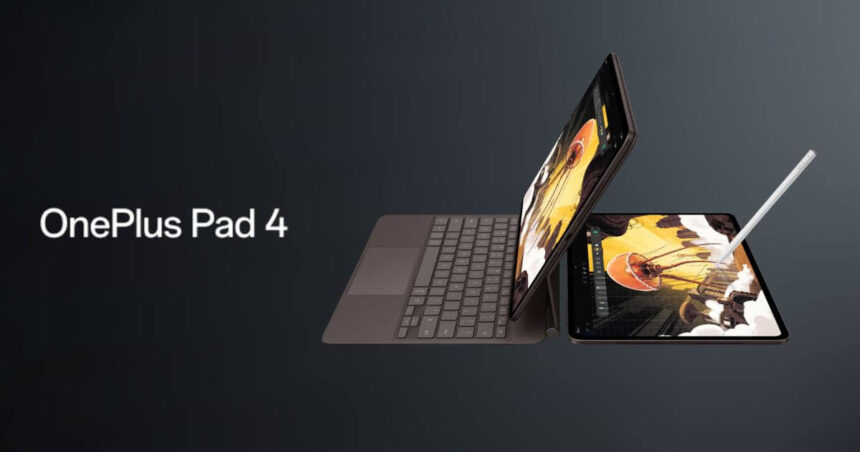
The modern tablet has quietly evolved from a simple entertainment screen into something far more ambitious. What used to be a secondary device for watching movies or browsing social media has now become a serious tool for productivity, creativity, and even professional workflows. Today’s users are no longer asking if a tablet can replace a laptop. Instead, they are asking how well it can do so.
This is the environment the OnePlus Pad 4 steps into. It does not arrive timidly or experimentally. It enters the space with confidence, aiming directly at users who demand performance, versatility, and long term reliability in a single device. Whether you are a university student juggling research, a content creator editing visuals on the go, or a professional managing tasks across multiple apps, this tablet positions itself as a complete solution rather than a companion device.
What makes the OnePlus Pad 4 especially interesting is its philosophy. Instead of focusing on just one strength, it attempts to excel across all key areas. Design, display, performance, software intelligence, battery endurance, and audio experience are all treated as equally important pillars. The result is a device that feels less like a traditional tablet and more like a portable workstation that just happens to be incredibly sleek.
The Design
A Premium Feel That Speaks Quietly but Confidently
The first thing you notice when you pick up the OnePlus Pad 4 is how refined it feels. There is no unnecessary flashiness or overdesign. Instead, the tablet embraces a mature and understated aesthetic that immediately communicates quality.
Get TikTok SEO Cheat here
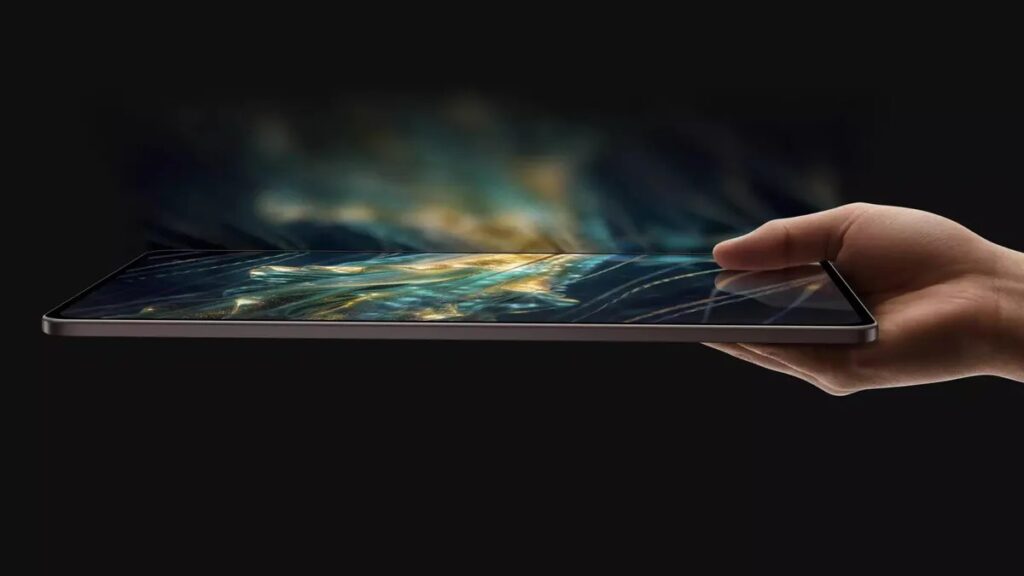
The aluminum unibody construction gives it a solid and durable feel while maintaining a remarkably slim profile. At just 5.9mm thick, it slides easily into bags without adding bulk, yet it does not feel fragile in hand. The weight distribution is particularly impressive. Even with its large size, the device feels balanced, making it comfortable to hold for extended reading sessions or long hours of work.
The curved edges play a subtle but important role in user comfort. Unlike sharper designs that can dig into your palms, this tablet feels natural to grip. This becomes especially noticeable during prolonged use, such as watching movies or attending virtual meetings.
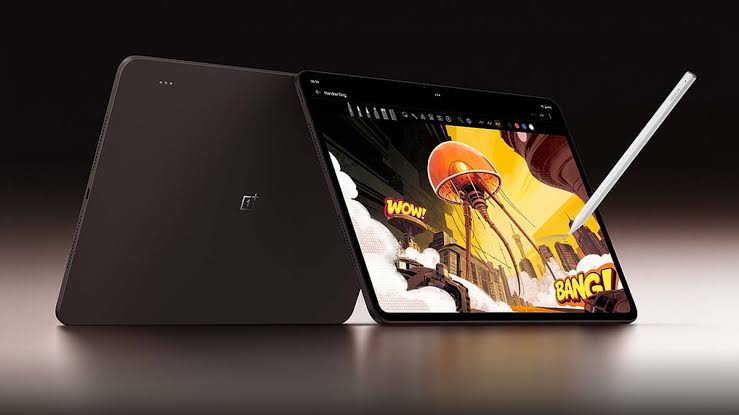
The Dune Glow finish deserves special mention. It introduces a warm, almost earthy tone that stands out from the typical greys and silvers dominating the market. Beyond aesthetics, it is practical. Fingerprints are less visible, and the surface maintains a clean look even after hours of use.
In everyday life, this design translates into confidence. You are not constantly worrying about smudges, discomfort, or fragility. It simply feels like a device built to be used extensively.
The Display
A Canvas That Elevates Everything You Do
If the design draws you in, the display is what keeps you engaged. The 13.2 inch screen is expansive, but it is not just about size. It is about how that space is utilized.
The 3.4K resolution ensures that every detail is crisp. Text appears sharp, images are richly detailed, and videos feel immersive. Whether you are editing photos, reading documents, or streaming high quality content, the clarity remains consistently impressive.
The 144Hz refresh rate transforms the entire experience. Scrolling feels fluid, animations are smooth, and interactions respond instantly. This is not just beneficial for gaming. It enhances everyday tasks, making even simple actions feel more refined.
Brightness is another area where the display shines. With peak levels reaching 1,000 nits, visibility remains strong even under harsh lighting conditions. For users in bright environments, this makes a significant difference. Outdoor usage becomes practical rather than frustrating.
Color accuracy is where the display truly crosses into professional territory. With a very low Delta E value and deep color reproduction, it becomes a reliable tool for creative work. Designers, photographers, and content creators can trust what they see on screen.
In real use, this display does not just show content. It enhances it. It makes work more precise, entertainment more engaging, and overall interaction more enjoyable.
The Performance
Power That Feels Effortless
At the heart of the OnePlus Pad 4 lies its most powerful feature, its performance. This is where the device separates itself from many competitors.
The Snapdragon 8 Elite Gen 5 chipset delivers speed that feels almost invisible. Apps open instantly, transitions are seamless, and multitasking feels natural rather than forced. You do not notice the processor working because it simply keeps up with everything you throw at it.
Multitasking is particularly impressive. Running multiple apps side by side does not slow the system down. Switching between tasks feels fluid, allowing you to maintain focus without interruption. This is crucial for students working on research or professionals handling multiple responsibilities at once.
Gaming performance is equally strong. High end games run smoothly at maximum settings, maintaining stability even during extended sessions. The device manages heat efficiently, ensuring that performance does not degrade over time.
The combination of up to 12GB of RAM and fast storage ensures that the system remains responsive even under heavy workloads. File transfers are quick, and large applications run without hesitation.
In practical terms, this performance means reliability. You can depend on the tablet to handle demanding tasks without compromise.
The Software
Intelligence That Works With You
Hardware alone does not define a great tablet. Software is what transforms raw power into a meaningful experience.
OxygenOS 16 introduces a level of refinement that feels purposeful rather than gimmicky. The interface is clean, intuitive, and designed to support productivity.
Open Canvas is one of the standout features. It allows you to extend apps beyond the visible screen, creating a workspace that feels larger than the device itself. This changes how you interact with multiple apps. Instead of feeling cramped, you feel in control of your workspace.
The AI features add another layer of convenience. The AI Writer assists with drafting content, making it useful for emails, assignments, and social media posts. The AI Summary tool simplifies long documents, helping you focus on key points without spending excessive time reading.
AI Clear Call improves communication by reducing background noise during calls. This is particularly useful in environments where distractions are common.
These features are not just impressive on paper. They are practical tools that genuinely improve daily workflows.
Battery and Audio
Built for Long Days and Immersive Moments
Battery life is often the deciding factor for many users, and the OnePlus Pad 4 delivers strongly in this area.
With a 13,380 mAh battery, the device comfortably lasts through extended usage. Whether you are attending classes, working remotely, or consuming media, you can rely on it to keep up without constant charging.
The fast charging capability adds convenience. Reaching a full charge in about 80 minutes means less downtime and more productivity.
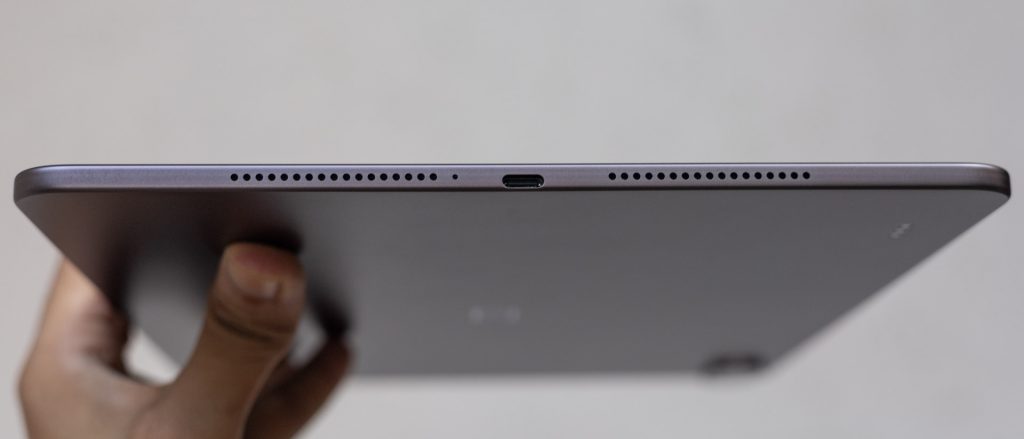
Audio performance is equally impressive. The eight speaker system creates a rich and immersive sound experience. Movies feel cinematic, music sounds full, and video calls remain clear.
This combination of endurance and audio quality ensures that the tablet supports both work and entertainment without compromise.
OnePlus Pad 4 Technical Specifications
| Component | Specification |
|---|---|
| Chipset | Snapdragon 8 Elite Gen 5 |
| RAM | 8GB / 12GB |
| Storage | Up to 512GB |
| Display | 13.2 inch, 3.4K resolution, 144Hz |
| Battery | 13,380 mAh |
| Camera | 13MP rear, 8MP front |
| Audio | 8 speaker system |
| Charging | 80W fast charging |
| Estimated Price | Around ₦950,000 |
Is It Worth Your Investment
The OnePlus Pad 4 stands as one of the most complete tablets available today. It does not rely on a single standout feature. Instead, it delivers excellence across all areas that matter.
Its performance ensures that it can handle demanding tasks with ease. The display enhances both productivity and entertainment. The software introduces meaningful improvements that simplify everyday use. The battery supports long hours without interruption.
However, it is not without limitations. The absence of a cellular option may be restrictive for some users. The lack of a fingerprint sensor may also feel like a missed opportunity. While the display is excellent, some users may still prefer an OLED panel.
Despite these points, the overall experience remains highly compelling.
For students, it offers a powerful and portable study tool. For professionals, it provides a reliable workspace. For creatives, it delivers the precision needed for detailed work.
The OnePlus Pad 4 is not just a tablet. It is a statement of how far mobile computing has evolved.
Read More On:

