



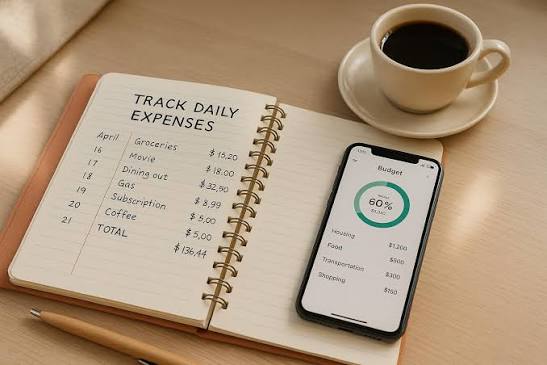
In today’s fast moving digital economy, money rarely sits still. Payments happen instantly. Subscriptions renew quietly in the background. Small daily expenses accumulate into significant financial outcomes before you even notice.
Manual tracking simply cannot keep up.
The real shift is not about tracking harder. It is about designing a system that works without you. When your finances are automated properly, every transaction is captured, categorized, and recorded in real time. You stop reacting to your money and start controlling it.
This guide walks you through a complete transformation from manual expense tracking to a fully automated financial system. Each step is practical, detailed, and built for real world application whether you are a freelancer, entrepreneur, or professional.
Get TikTok SEO Cheat here
1. Set Up Direct Bank and Card Synchronization as Your Core System
Automation begins with a single source of truth. That source must be your bank and card activity.
How to implement it
Start by choosing a financial tracking platform that supports secure bank synchronization. Once connected, your bank accounts and cards will automatically stream transactions into your dashboard.
Every payment you make becomes instantly visible without any manual input.
What this changes
Instead of remembering to log expenses, your system records them automatically at the moment they occur. This eliminates forgotten spending and removes guesswork entirely.
How to optimize it
Enable two factor authentication on both your bank and your tracking app. This ensures that your financial data remains protected while still allowing seamless synchronization.
Also connect all accounts including savings, debit cards, credit cards, and digital wallets. Missing even one account creates blind spots.
Result
You now have a live financial dashboard that updates itself continuously.
2. Automate Receipt Capture Using AI Scanning Technology
Receipts are critical for accurate tracking and tax documentation, but they are often lost or ignored.
Automation solves this problem completely.
How to implement it
Install a receipt scanning app and use it as your default method for handling any physical receipt.
Every time you receive a receipt, open the app and snap a quick photo. The system extracts key details such as merchant name, total amount, and transaction date.
What happens behind the scenes
The software uses optical character recognition to convert the image into structured financial data. It then matches that receipt with your bank transaction automatically.
How to build the habit
Keep the app on your phone home screen. Make it a rule that no receipt leaves your hand without being scanned.
For even better automation, batch scan receipts once daily instead of waiting until the end of the week.
Result
Every expense now has a digital record attached to it. This creates a clean and reliable audit trail without manual filing.
3. Build Smart Categorization Rules That Work Automatically
Raw financial data is not useful until it is organized.
Categorization transforms your transactions into meaningful insights.
How to implement it
Inside your tracking system, create rules based on keywords or merchants.
For example
- Transactions containing supermarket names go into groceries
- Fuel stations go into transportation
- Online marketplaces go into business supplies
How to refine it
Start simple. Create rules for your most frequent expenses first. Over time, expand the system to cover less frequent categories.
Review your categories weekly at the beginning. This helps train the system faster and improves accuracy.
Advanced approach
Some platforms learn from your behavior. When you consistently categorize a transaction a certain way, the system begins to automate it fully.
Result
Your expenses are not just recorded. They are intelligently organized into clear spending patterns.
4. Use Virtual Cards to Control and Track Subscriptions
Subscriptions often go unnoticed because they operate silently.
Virtual cards give you precise control.
How to implement it
Create separate virtual cards for each subscription or service.
Assign one card per vendor such as streaming services, software tools, or online platforms.
Why this works
Each card becomes a tracking unit. You instantly know which service is charging you and how much.
Control advantage
Set spending limits on each card. If a subscription price increases unexpectedly, the transaction fails instead of draining your account.
Behavioral impact
You become more intentional with subscriptions because each one is visible and controlled individually.
Result
No hidden charges. No forgotten renewals. Every subscription is transparent and accountable.

5. Automate Expense Logging Through Email Integration
Many expenses already arrive digitally through email receipts.
You can turn your inbox into an automated expense capture system.
How to implement it
Set up a dedicated forwarding email within your tracking platform.
Then create filters in your email account that automatically forward receipts and invoices to that address.
Examples of automation
- Online shopping confirmations
- Flight and hotel bookings
- Software subscription invoices
All of these can be routed automatically.
How it works
The system scans the email content, extracts transaction data, and logs the expense without your involvement.
Optimization tip
Use clear filters such as keywords like invoice, receipt, or payment confirmation to avoid forwarding irrelevant emails.
Result
Your digital expenses are tracked without opening any app or typing any data.
6. Replace Manual Reimbursements with Integrated Spending Systems
If you manage a team or business, reimbursements can become chaotic.
Automation removes the entire process.
How to implement it
Issue company cards that connect directly to your accounting system.
Each team member uses their assigned card for business expenses.
What changes immediately
Transactions are recorded in real time. There is no need for employees to submit expense reports manually.
Control mechanisms
Set spending limits and category restrictions for each card. This ensures compliance without constant supervision.
Operational benefit
You gain instant visibility into team spending without chasing reports or receipts.
Result
Expense tracking becomes continuous instead of delayed.
7. Automate Travel and Mileage Tracking Using Location Data
Travel related expenses are often underreported due to poor tracking habits.
Automation solves this with location based technology.
How to implement it
Use a mileage tracking app that runs in the background of your phone.
It detects movement and records trips automatically.
User interaction
At the end of each trip, classify it as business or personal with a simple swipe.
What the system calculates
- Distance traveled
- Applicable reimbursement value
- Total accumulated travel expense
Why this matters
Manual tracking is inaccurate and often incomplete. Automation ensures that every eligible trip is recorded.
Result
You capture every travel related expense without effort.

8. Enable Intelligent Alerts and Spending Insights
Tracking is powerful. Awareness is even more powerful.
Automation can go beyond recording and start analyzing.
How to implement it
Enable alerts within your financial app for unusual spending patterns.
Examples of smart alerts
- Spending exceeding your normal average
- Duplicate transactions
- Sudden increases in recurring bills
How this helps
You are notified instantly when something looks wrong. This allows you to act quickly before issues escalate.
Advanced benefit
Some systems provide predictive insights. They analyze your behavior and suggest adjustments to improve your financial health.
Result
Your system does not just track your money. It protects it and improves it.
Top Tools for Automatic Expense Tracking
| Tool | Primary Audience | Best Feature |
|---|---|---|
| FreshBooks | Freelancers | Seamless invoicing and expense sync |
| Expensify | Teams and travelers | Advanced receipt scanning automation |
| YNAB | Personal finance users | Proactive budgeting approach |
| QuickBooks | Small business owners | Full accounting integration |
| PocketGuard | Budget focused individuals | Real time available balance view |
How to Build Your Complete Automated System Step by Step
To bring everything together, follow this structured approach
- Step 1
Connect all financial accounts to one tracking platform
- Step 2
Enable receipt scanning and make it a daily habit
- Step 3
Create categorization rules for recurring transactions
- Step 4
Assign virtual cards to subscriptions and services
- Step 5
Set up email forwarding for digital receipts
- Step 6
Integrate team spending if applicable
- Step 7
Activate mileage tracking if you travel frequently
- Step 8
Turn on alerts and review insights weekly
From Tracking to Total Financial Awareness
Automation is not just about saving time. It is about creating clarity.
When your system runs in the background, your mind is freed from remembering, calculating, and correcting. You gain a real time understanding of where your money goes and why.
This is where financial confidence begins.
Instead of reacting to expenses, you anticipate them. Instead of guessing your financial position, you see it clearly at all times.
That is the true power of automated expense tracking.
Read More On:

