


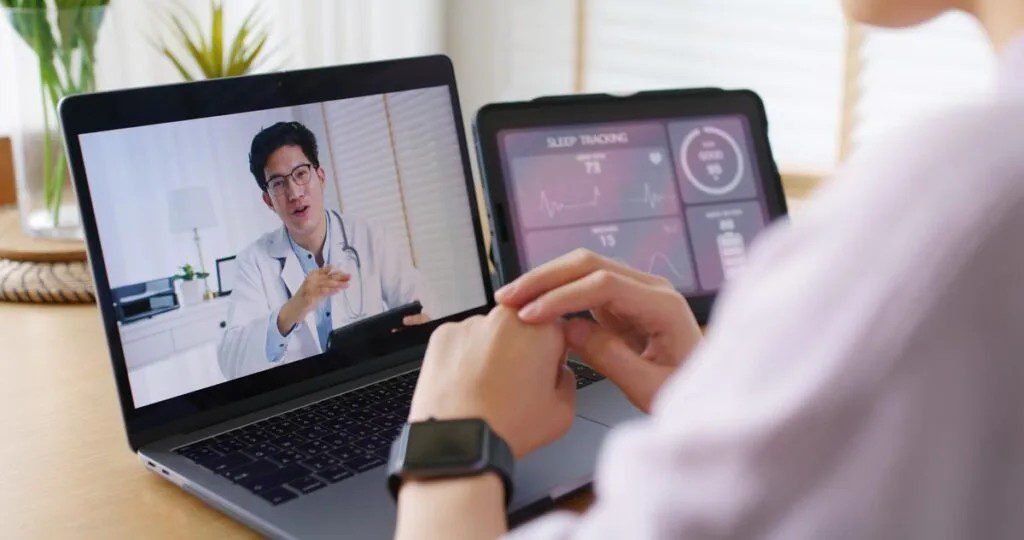
Healthcare is rapidly evolving, and one of the most transformative changes in recent years is the rise of telemedicine. With the help of mobile technology, patients can now consult doctors from the comfort of their homes, saving time, reducing costs, and improving access to quality care. Telemedicine apps have become especially useful for people in remote areas, busy professionals, and anyone who prefers convenient healthcare solutions.
In this detailed guide, you will learn exactly how to use telemedicine apps for remote consultations, step by step, with clear explanations to help you get the best experience possible.
What is Telemedicine and How Does It Work
Telemedicine refers to the use of digital platforms to deliver medical services remotely. Instead of visiting a hospital physically, patients communicate with healthcare providers through video calls, voice calls, or chat.
Popular telemedicine platforms include apps like Teladoc, Amwell, and Doctor On Demand.
Get TikTok SEO Cheat here
These apps allow you to:
- Consult doctors in real time
- Receive prescriptions
- Get medical advice
- Monitor ongoing health conditions
Telemedicine works through internet enabled devices such as smartphones, tablets, or computers, making healthcare more accessible than ever.
Benefits of Using Telemedicine Apps
Before diving into the steps, it is important to understand why telemedicine is worth using.
- Convenience: You can consult a doctor without leaving your home, avoiding long hospital queues.
- Accessibility: People in rural or underserved areas can easily reach qualified doctors.
- Time saving: Appointments are quicker and more flexible compared to traditional visits.
- Cost effectiveness: Telemedicine consultations are often more affordable than in person visits.
- Reduced exposure to infections: You avoid crowded waiting rooms, which lowers the risk of catching illnesses.
Step by Step Guide on How to Use Telemedicine Apps
1. Choose the Right Telemedicine App
The first step is selecting a reliable app that suits your needs.
Consider the following factors:
- Availability in your country
- Types of doctors available
- User reviews and ratings
- Cost of consultation
- Data privacy and security
Choose an app that offers certified healthcare professionals and a user friendly interface.
2. Download and Install the App
Once you have chosen an app, download it from a trusted source such as:
- Google Play Store
- Apple App Store
Search for the app name and install it on your device. Ensure your device has enough storage space and a stable internet connection.
3. Create an Account
After installation, you need to register.
Typically, you will provide:
- Full name
- Email address
- Phone number
- Password
Some apps may also require identity verification to ensure security and compliance with healthcare regulations.
4. Complete Your Medical Profile
This is a crucial step that many users overlook.
Include details such as:
- Age and gender
- Medical history
- Current medications
- Allergies
- Chronic conditions
Providing accurate information helps doctors make better decisions during your consultation.
Read More On: How to Schedule Emails to Send Later

5. Browse and Select a Doctor
Most telemedicine apps allow you to choose from a list of doctors based on specialization.
You can filter by:
- General physicians
- Dermatologists
- Pediatricians
- Mental health professionals
Check doctor profiles, including their qualifications, years of experience, and patient reviews before making a selection.
6. Schedule an Appointment
Once you have selected a doctor, book a suitable time slot.
You may have options like:
- Instant consultation
- Scheduled appo0intment
- Follow up session
Choose a time when you can be in a quiet and comfortable environment.
7. Prepare for Your Consultation
Preparation ensures you get the most value from your session.
Here is what to do:
- Write down your symptoms clearly
- List any questions you want to ask
- Keep your medical records nearby
- Ensure your internet connection is stable
- Test your camera and microphone
Being prepared saves time and helps the doctor understand your condition better.
8. Start the Consultation
At the scheduled time, log into the app and join the session.
Depending on the app, the consultation may take place via:
- Video call
- Voice call
- Chat messaging
Explain your symptoms clearly and answer the doctor’s questions honestly.
9. Receive Diagnosis and Treatment Plan
After evaluating your condition, the doctor may:
- Provide a diagnosis
- Recommend medications
- Suggest lifestyle changes
- Advise further tests if necessary
Some apps also send digital prescriptions that you can use at pharmacies.
10. Make Payments Securely
Many telemedicine apps require payment before or after the consultation.
Common payment methods include:
- Debit or credit cards
- Mobile wallets
- Bank transfers
Ensure the app uses secure payment systems to protect your financial information.
11. Follow Up and Monitor Your Health
After your consultation, follow the doctor’s instructions carefully.
You can also:
- Schedule follow up appointments
- Track your symptoms
- Update your medical records
Regular follow ups are important for chronic conditions or ongoing treatments.
Read More On: How to Block Spam Calls and Scam SMS

Tips for a Successful Telemedicine Experience
To maximize the benefits of telemedicine, keep these tips in mind.
- Choose a quiet and well lit space
- Speak clearly during consultations
- Be honest about your symptoms
- Keep your device fully charged
- Use a strong internet connection
These small steps can significantly improve the quality of your consultation.
Common Challenges and How to Overcome Them
While telemedicine is highly beneficial, it comes with some challenges.
- Poor internet connection: Use a reliable network or switch to audio if video fails
- Lack of physical examination: Describe symptoms in detail and share photos if needed
- Privacy concerns: Use only trusted apps with strong data protection policies
- Technical difficulties: Familiarize yourself with the app before your appointment
When to Use Telemedicine and When Not To
Telemedicine is ideal for:
- Minor illnesses
- Routine checkups
- Mental health consultations
- Follow up visits
However, it is not suitable for:
- Medical emergencies
- Severe injuries
- Conditions requiring physical examination
In such cases, visit a hospital immediately.
The Future of Telemedicine
Telemedicine is expected to grow even further with advancements in technology such as artificial intelligence and wearable health devices. These innovations will make remote healthcare even more accurate and personalized.
As more people adopt telemedicine, it will continue to reshape how healthcare is delivered worldwide.
Conclusion
Telemedicine apps have made healthcare more accessible, efficient, and convenient. By following the steps outlined in this guide, you can confidently use these platforms for remote consultations and take control of your health from anywhere.
Whether you are managing a chronic condition or seeking quick medical advice, telemedicine offers a practical solution for modern healthcare needs.
Read More On: How to Use ChatGPT for Work and School.

