


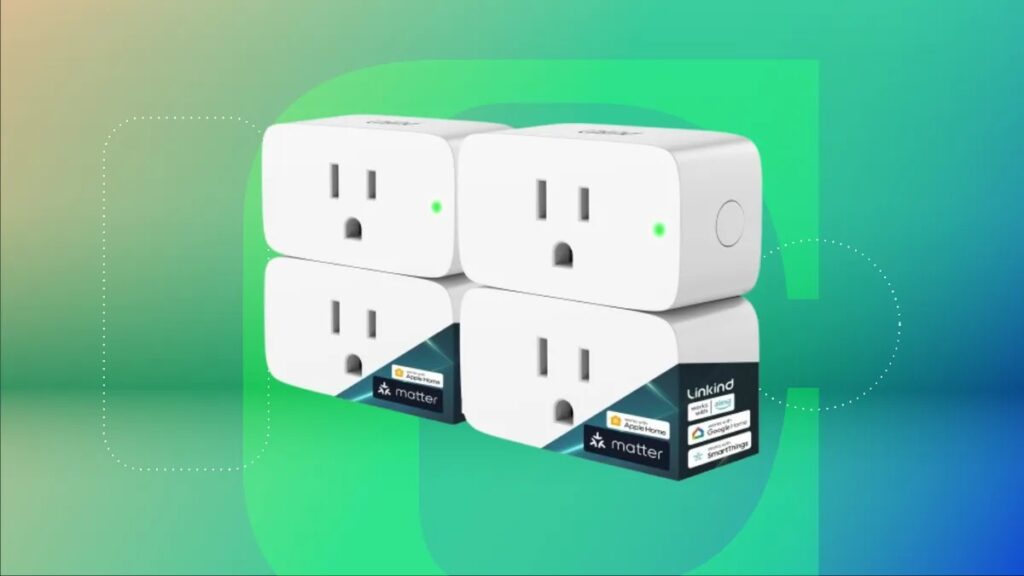
The concept of home automation often sounds expensive, technical, and intimidating to beginners. Many people imagine complicated wiring systems, costly smart appliances, professional installation, and an endless list of confusing compatibility standards. Terms like Matter, Zigbee, Wi Fi bands, Alexa ecosystems, and energy monitoring can easily discourage someone before they even purchase their first smart device.
However, modern home automation does not need to begin with expensive renovations or advanced networking knowledge. The easiest, safest, and most affordable entry point into the world of smart living is the smart plug.
A smart plug is a compact device that connects between a wall outlet and an electrical appliance. Once connected to your home network, it allows you to remotely control the flow of electricity to that appliance through a smartphone app, voice assistant, or automation routine.
In practical terms, a smart plug transforms ordinary household devices into connected smart devices instantly.
Get TikTok SEO Cheat here
A regular standing fan can automatically turn on before bedtime.
A coffee maker can start brewing before you wake up.
A lamp can switch itself on while you are away from home to improve security.
A charger can automatically stop drawing electricity after a set period.
These simple conveniences are what make smart plugs one of the most useful investments for beginners entering the smart home ecosystem.
What makes smart plugs especially attractive is their simplicity. There is no drilling into walls. No rewiring. No electrician required. Most setups take less than ten minutes from unboxing to automation.
Beyond convenience, smart plugs also provide deeper control over electricity consumption. Many modern models include energy monitoring features that reveal exactly how much power your appliances consume daily, weekly, or monthly. This helps households identify wasteful devices, reduce electricity costs, and improve energy efficiency.
For beginners, smart plugs also act as a testing ground for understanding smart home ecosystems before making larger investments. Instead of buying expensive smart refrigerators or automated lighting systems immediately, you can start small and discover whether you prefer Amazon Alexa, Google Home, Apple Home, or Matter based systems.
This guide is designed specifically for beginners who want a practical, highly detailed, and easy to understand explanation of how smart plugs work, how to choose the right one, how to install them correctly, and how to create useful automations that improve daily life.
Rather than functioning purely as a product review article, this guide focuses heavily on the “how to” aspect of building a smarter home using smart plugs as the foundation.
Why Smart Plugs Are the Best Starting Point for Home Automation
Before purchasing expensive smart appliances, beginners need a simple introduction to automation. Smart plugs provide that opportunity perfectly.
They Require No Technical Expertise
One of the biggest barriers preventing people from entering smart home automation is fear of technical complexity. Many assume they need networking knowledge or electrical engineering experience.
Smart plugs remove that barrier entirely.
Most devices follow a very simple process:
| Step | What Happens |
|---|---|
| Step 1 | Plug the smart plug into a wall outlet |
| Step 2 | Download the companion smartphone app |
| Step 3 | Connect the plug to Wi Fi |
| Step 4 | Name the appliance |
| Step 5 | Create schedules or voice controls |
That is the entire setup process for most modern smart plugs.
No tools are needed.
No cables need replacing.
No walls need modification.
They Instantly Upgrade Existing Appliances
Smart plugs are incredibly versatile because they work with ordinary household devices you already own.
Examples include:
| Household Device | What a Smart Plug Can Do |
|---|---|
| Standing fan | Automatically turn on at night |
| Table lamp | Create sunset lighting schedules |
| Coffee maker | Start brewing before you wake |
| Phone charger | Automatically stop charging |
| Water dispenser | Turn off during sleeping hours |
| Router | Reboot remotely if internet freezes |
| Electric kettle | Schedule morning heating |
| Decorative lights | Activate automatically at sunset |
This means you do not need to replace functioning appliances with expensive “smart” versions.
They Help Reduce Electricity Bills
Many devices continue drawing electricity even when not actively in use. This is known as standby power consumption or phantom load.
Examples include:
- Television systems
- Chargers
- Gaming consoles
- Microwave displays
- Audio systems
Smart plugs help eliminate this waste by automatically disconnecting electricity when devices are not needed.
Energy monitoring models go even further by showing detailed electricity usage statistics.
Understanding Smart Plug Safety Before Buying
Safety should always come first when dealing with electricity.
Many beginners accidentally purchase the wrong smart plug type for heavy appliances. Understanding amperage ratings is critical.
Understanding Amperage and Wattage Ratings
Every smart plug has a maximum electrical load capacity.
The two most common categories are:
| Smart Plug Rating | Suitable Appliances |
|---|---|
| 10A | Lamps, chargers, routers, fans |
| 15A or 16A | Refrigerators, microwaves, heaters |
Why This Matters
High power appliances draw significantly more current.
If a low rated smart plug is overloaded, several dangers may occur:
- Internal overheating
- Relay failure
- Melted plastic housing
- Electrical fire risk
- Appliance damage
Safe Appliance Pairing Guide
| Appliance Type | Recommended Plug Rating |
|---|---|
| Smartphone charger | 10A |
| Standing fan | 10A |
| Television | 10A |
| Refrigerator | 15A or 16A |
| Microwave | 15A or 16A |
| Water heater | 15A or 16A |
| Electric kettle | 15A or 16A |
Always verify the appliance power label before connecting it to a smart plug.
Understanding Smart Home Ecosystems
One of the most confusing topics for beginners is ecosystem compatibility.
Different companies use different smart home systems.
Common ecosystems include:
| Ecosystem | Voice Assistant |
|---|---|
| Amazon Alexa | Alexa |
| Google Home | Google Assistant |
| Apple Home | Siri |
| Samsung SmartThings | SmartThings |
Historically, devices from one ecosystem often failed to work properly with another.
This created frustration and compatibility limitations.
Why Matter Certification Is Important
Matter is a universal smart home standard designed to solve compatibility problems.
A Matter certified smart plug can function across multiple ecosystems simultaneously.
This means one device may work with:
- Alexa
- Google Home
- Apple Home
- SmartThings
For beginners, Matter compatibility is extremely valuable because it future proofs your setup.
You are no longer trapped inside one ecosystem.
Understanding Smart Plug Form Factors
Early smart plugs were bulky and inconvenient.
They often blocked adjacent wall outlets completely.
Modern designs focus heavily on compact sizing.
Ideal Features Beginners Should Look For
| Feature | Benefit |
|---|---|
| Mini design | Saves outlet space |
| Slim profile | Prevents outlet blockage |
| Physical power button | Allows manual control |
| LED indicator | Shows pairing status |
| Compact housing | Easier placement behind furniture |
A compact design becomes especially important when using extension boards or dual wall sockets.
The Best Smart Plugs for Home Automation Beginners
1. TP Link Tapo P110M
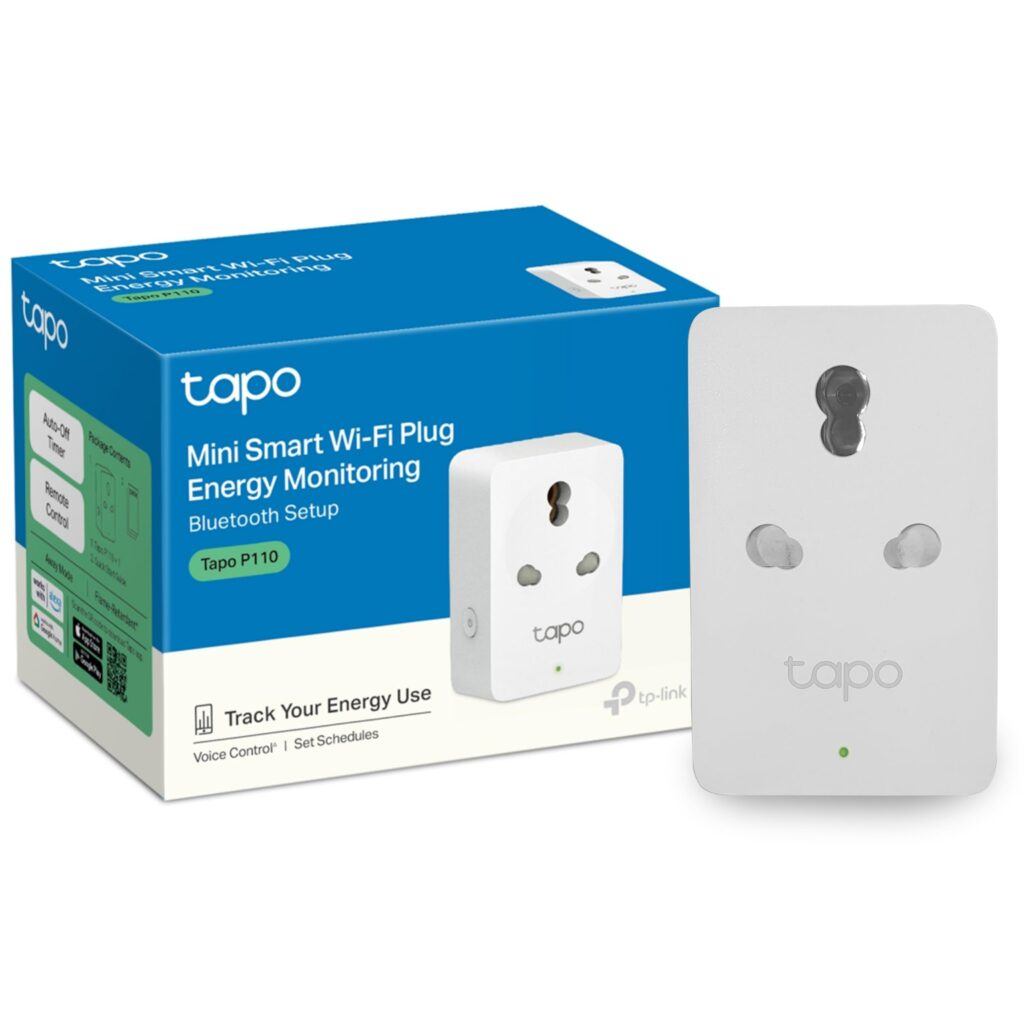
The TP Link Tapo P110M stands out as one of the most beginner friendly smart plugs currently available.
Why It Is Excellent for Beginners
Its biggest advantage is simplicity.
The setup process is straightforward, and Matter certification allows compatibility across multiple ecosystems.
Instead of being locked into one voice assistant platform, beginners can experiment freely.
Energy Monitoring Benefits
The built in energy monitoring system provides detailed electricity tracking.
Users can monitor:
- Daily consumption
- Weekly consumption
- Monthly usage trends
- Real time power draw
This is extremely useful for identifying electricity intensive devices.
For example, many users discover that older refrigerators or entertainment systems consume far more electricity than expected.
Compact Design Advantages
The plug features a compact square profile that avoids blocking nearby sockets.
This small design improvement makes a surprisingly large difference in daily convenience.
2. Emporia Smart Plug
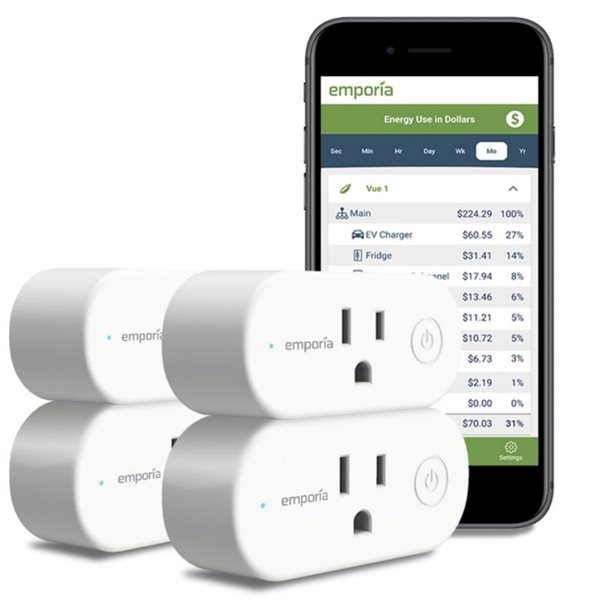
The Emporia Smart Plug focuses heavily on energy management and electricity savings.
Why It Stands Out
Unlike many smart plugs that only display raw power numbers, Emporia converts energy usage into estimated electricity costs.
This gives users a much clearer understanding of how appliances affect monthly utility bills.
Useful Automation Features
The plug supports advanced scheduling for reducing energy waste.
Examples include:
- Turning off appliances during peak tariff hours
- Disabling idle devices overnight
- Creating energy saving schedules automatically
Best Use Cases
Emporia plugs work especially well for:
| Appliance | Benefit |
|---|---|
| Water dispensers | Reduce overnight waste |
| Extra refrigerators | Lower utility costs |
| Gaming systems | Prevent idle power draw |
| Office equipment | Schedule shutdowns |
3. Amazon Smart Plug
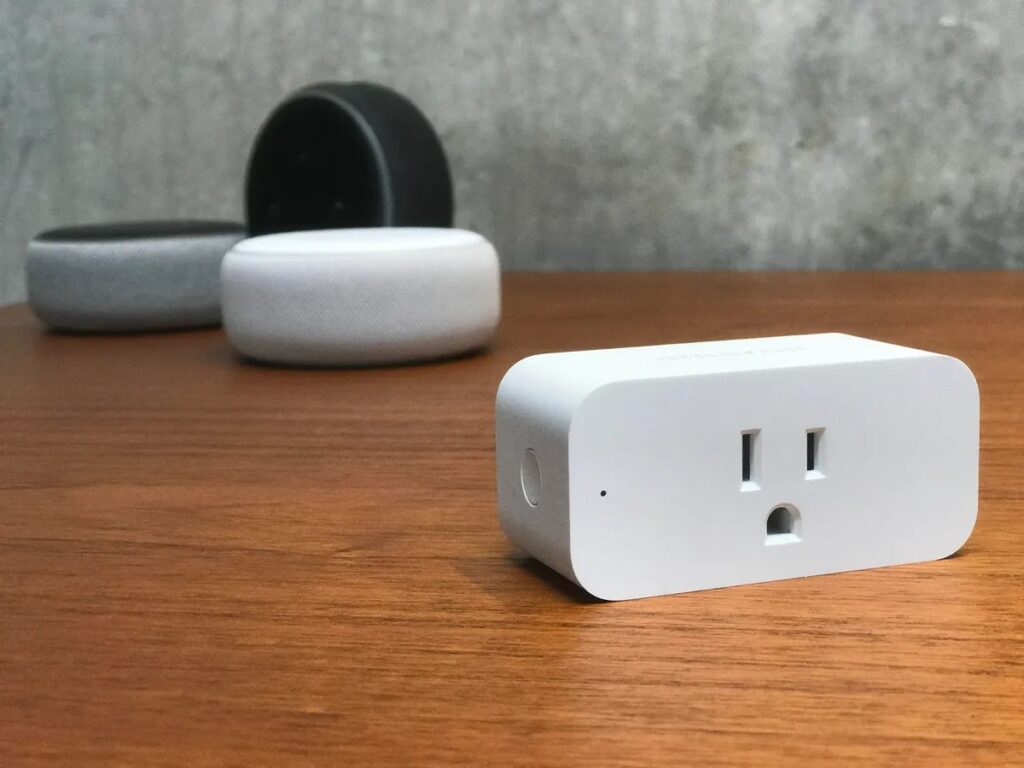
For homes already using Amazon Echo speakers, the Amazon Smart Plug offers one of the smoothest beginner experiences available.
What Makes It Beginner Friendly
Amazon designed the device specifically for simplicity.
The setup process is highly automated.
In many cases, plugging the device into the wall is enough for Alexa to recognize and configure it automatically.
Its Biggest Strength
Reliability.
Because the plug integrates directly with Alexa services, response times are extremely fast and stable.
Important Limitation
The Amazon Smart Plug is designed mainly for Alexa users.
It lacks broad ecosystem flexibility compared to Matter certified alternatives.
4. IKEA Tretakt and Inspelning
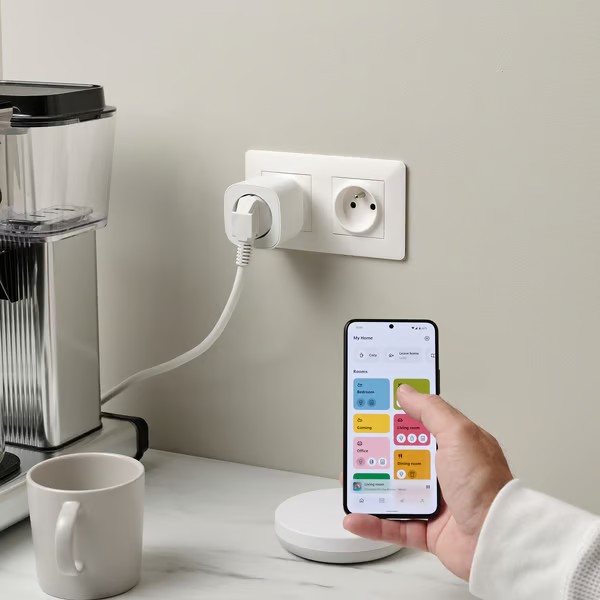
IKEA’s smart plug lineup is ideal for users who prefer minimalist hardware with reliable local functionality.
Why Beginners Appreciate IKEA Smart Plugs
They are affordable, simple, and dependable.
The Tretakt focuses on basic smart control functionality.
The Inspelning adds energy monitoring features.
Local Control Advantage
One major strength of IKEA smart plugs is local processing capability.
This means schedules may continue functioning even if internet access temporarily fails.
For example:
- Night lighting schedules continue operating
- Timed fan controls still function
- Basic automation remains active indoors
This improves reliability significantly.
Step by Step Guide to Setting Up Your First Smart Plug
Step 1: Check Your Wi Fi Network
Most smart plugs require a 2.4GHz Wi Fi connection.
Why 2.4GHz Matters
This frequency travels farther through walls compared to 5GHz networks.
That makes it more reliable for smart devices positioned throughout the home.
Common Beginner Mistake
Many routers combine 2.4GHz and 5GHz automatically.
If setup fails repeatedly, temporarily separating the bands in your router settings often solves the issue.
Step 2: Download the Official App
Always use the manufacturer’s official application.
Examples include:
| Brand | Official App |
|---|---|
| TP Link Tapo | Tapo App |
| Amazon | Alexa App |
| IKEA | IKEA Home Smart |
| Emporia | Emporia Energy |
Avoid unofficial third party apps.
Step 3: Plug the Device into the Wall
Insert the smart plug into a wall socket.
Most devices immediately enter pairing mode automatically.
A blinking LED indicator usually confirms this.
Step 4: Connect to Wi Fi
Open the companion app.
Follow the pairing instructions carefully.
This usually involves:
- Selecting the device type
- Choosing your Wi Fi network
- Entering the password
- Waiting for connection confirmation
Step 5: Name the Device Properly
Naming is more important than beginners realize.
Bad naming examples include:
- Plug 1
- Device A
- Smart Outlet
Good naming examples include:
- Bedroom Fan
- Kitchen Coffee Maker
- Office Lamp
- Router Backup Plug
Logical naming improves voice commands significantly.
How to Create Useful Automation Routines
Automation is where smart plugs become truly transformative.
Routine 1: The Away From Home Security Routine
Purpose
Create the appearance that someone is home while traveling.
How It Works
The smart plug activates lights randomly during evening hours.
Benefits
| Benefit | Explanation |
|---|---|
| Improved security | Deters intruders |
| Remote control | Adjust schedules from anywhere |
| Energy efficiency | Lights only activate when needed |
Routine 2: The Automatic Morning Coffee Routine
How It Works
Connect a mechanical switch coffee maker to a smart plug.
Schedule power activation before waking hours.
Result
Fresh coffee is ready automatically each morning.
Important Reminder
Only use appliances that safely resume operation after power restoration.
Routine 3: The Smart Charging Protection Routine
Continuous overnight charging may affect battery longevity over time.
Automation Setup
Create a two hour automatic shutoff schedule.
Best Devices for This Routine
- Smartphones
- Tablets
- Wireless earbuds
- Laptop chargers
Common Smart Plug Mistakes Beginners Should Avoid
Using the Wrong Power Rating
Never connect heavy appliances to low capacity smart plugs.
Always verify wattage compatibility.
Ignoring Wi Fi Coverage
Weak signals lead to:
- Frequent disconnections
- Delayed response times
- Failed automation routines
If necessary, consider improving router placement.
Overcomplicating Automation
Beginners often create too many schedules immediately.
Start simple.
Focus on routines that solve real daily inconveniences first.
Smart Plug Comparison Table for Beginners
| Model | Ecosystem Support | Energy Monitoring | Max Load | Best For |
|---|---|---|---|---|
| TP Link Tapo P110M | Matter compatible | Yes | 15A or 16A | Future proof setups |
| Emporia Smart Plug | Alexa and Google | Yes | 15A | Energy savings |
| Amazon Smart Plug | Alexa only | No | 15A | Simplest setup |
| IKEA Tretakt | Matter and Zigbee | No | 16A | Reliable local control |
How Smart Plugs Fit Into a Larger Smart Home Strategy
Smart plugs are rarely the final destination in home automation.
Instead, they become the foundation.
Once users become comfortable with schedules and routines, they often expand into:
- Smart lighting
- Smart security cameras
- Smart thermostats
- Smart door locks
- Motion sensors
- Automated curtains
- Smart speakers
The skills learned from smart plugs transfer directly into these larger systems.
That is why smart plugs remain the smartest beginner investment.
Final Thoughts
Home automation does not need to begin with expensive renovations or highly technical installations.
Smart plugs provide a practical, affordable, and beginner friendly introduction to connected living.
They allow ordinary appliances to become intelligent, automated, and remotely controllable within minutes.
More importantly, they teach beginners the fundamentals of smart ecosystems, scheduling, energy management, and automation logic without requiring large financial commitments.
By choosing the right smart plug carefully, understanding power ratings properly, and starting with simple routines, anyone can begin building a smarter, more efficient, and more convenient home environment immediately.
For beginners, the smartest first step into home automation is often the simplest one.
And that first step is usually a smart plug.
Read More On:

