

TECHNICAL SEO CHECKLIST (SITE PERFORMANCE & CRAWLABILITY)
Technical SEO refers to the backend optimization of your website that helps search engines crawl, index, and understand your content efficiently.

Unlike content or on-page SEO, technical SEO focuses on the infrastructure of your website, not just the content.
It ensures your site is:
- Fast
- Secure
- Mobile-friendly
- Easy to crawl
- Properly indexed
- Structured for search engines
If technical SEO is weak, even the best content may struggle to rank.
18. Website Speed and Performance Optimization
Page speed is one of the most important ranking and user experience factors in modern SEO.
A slow website leads to:
- Higher bounce rates
- Lower engagement
- Poor conversion rates
- Reduced rankings
Key speed optimization actions:
- Compress images without losing quality
- Use browser caching
- Minify CSS, JavaScript, and HTML
- Use a fast hosting provider
- Enable lazy loading for images and videos
- Reduce unnecessary plugins or scripts
Google evaluates speed through Core Web Vitals, making performance a direct ranking factor.
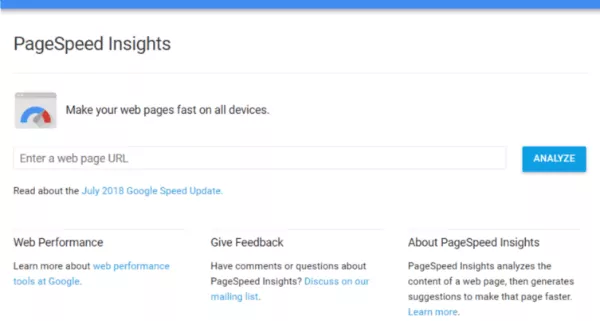
You can analyze and improve your website’s performance on desktop and mobile devices by using PageSpeed Insights in Google Search Console or GTmetrix.com.
19. Core Web Vitals Optimization (User Experience Signals)
Core Web Vitals measure how users experience your website in real time.
They focus on three main areas:
- Loading performance
- Interactivity
- Visual stability
Why Core Web Vitals matter:
Google uses these metrics to evaluate whether your website provides a smooth and stable user experience.
Pages that perform well tend to rank higher because they keep users engaged longer.
Key improvement focus areas:
- Improve server response time
- Reduce layout shifts during loading
- Optimize large page elements
- Improve interactivity speed
A technically stable website builds stronger SEO trust signals.
20. HTTPS Security (Trust and Ranking Signal)
HTTPS is now a standard requirement for all websites.
It ensures data is securely encrypted between the user and the server.
Why HTTPS matters for SEO:
- Builds user trust
- Prevents browser security warnings
- Improves ranking signals
- Protects user data
Websites without HTTPS are often flagged as “not secure,” which can reduce traffic and credibility.
21. Mobile Optimization (Mobile-First Indexing)
Google now uses mobile-first indexing, meaning it primarily evaluates the mobile version of your website for ranking.
A mobile-optimized site should:
- Adjust properly to all screen sizes
- Load quickly on mobile networks
- Have readable text without zooming
- Ensure buttons are easy to tap
- Avoid horizontal scrolling
A poor mobile experience directly reduces rankings, even if the desktop version is perfect.
22. Crawlability and Indexing Control
Search engines need to access and understand your pages before they can rank them.
Key crawlability elements:
- XML sitemap (guides search engines to important pages)
- Robots.txt file (controls what should or shouldn’t be crawled)
- Clean internal linking structure
- Proper use of canonical tags
Why this matters:
If search engines cannot crawl your pages properly, they may never appear in search results.
23. Fixing Crawl Errors and Broken Pages
Broken pages negatively affect SEO performance.
Common issues include:
- 404 errors (page not found)
- Redirect chains
- Server errors
- Broken internal links
Best practice:
Regularly monitor your site using Google Search Console to detect and fix crawl issues.
A clean site structure improves both user experience and search engine trust.
24. Structured Data (Schema Markup for Rich Results)
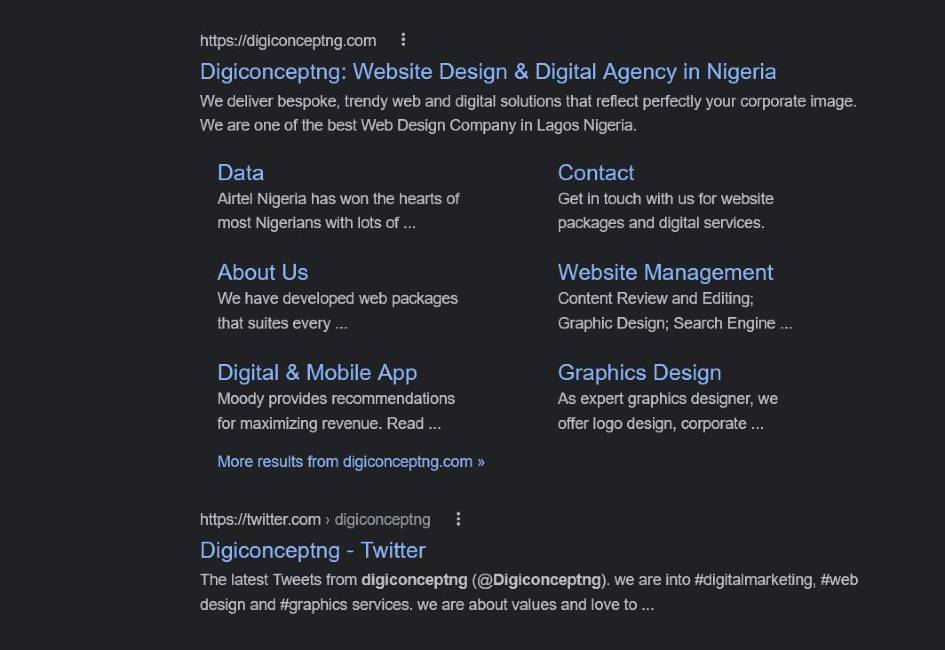
Structured data helps search engines understand your content in more detail. It can also improve how your pages appear in search results through rich snippets.
Common schema types:
- Article schema
- FAQ schema
- Product schema
- Local business schema
- How-to schema
Benefits of schema markup:
- Better visibility in search results
- Higher click-through rates
- Eligibility for rich snippets
- Improved content understanding
Structured data gives your content a competitive edge in SERPs.
25. URL Structure and Site Architecture
A clean website structure helps search engines and users navigate your content easily.
Best practices:
- Use short, readable URLs
- Organize content into categories
- Avoid deep page nesting
- Keep important pages within 2–3 clicks from homepage
A logical structure improves crawl efficiency and ranking potential.
26. Fixing Duplicate Technical Content Issues
Technical duplication happens when multiple URLs show similar or identical content.
Common causes:
- URL parameters
- Printer-friendly pages
- HTTP vs HTTPS versions
- www vs non-www versions
Solutions:
- Use canonical tags
- Set preferred domain in Search Console
- Redirect duplicate versions
- Avoid multiple URLs serving same content
This ensures ranking signals are not split across multiple pages.
27. JavaScript and CSS Optimization
Heavy scripts can slow down page rendering and affect indexing.
Best practices:
- Minify CSS and JavaScript files
- Defer non-critical scripts
- Use external files instead of inline code where possible
- Reduce render-blocking resources
This improves load time and Core Web Vitals performance.
28. Server Performance and Hosting Quality
Your hosting environment directly affects SEO performance.

A good server should provide:
- Fast response time
- High uptime reliability
- Scalable resources
- Secure configuration
Poor hosting can cause slow loading times and frequent downtime, both of which hurt rankings.